how-to-create-and-sell-digital-products

How to Create and Sell Digital Products in 2026

How to Create and Sell Digital Products is the question that completely changed my business journey. A few years ago, I thought earning online meant constantly chasing new clients. Every month started from zero. Every project ended with a final payment and then silence. I was a WordPress and Shopify developer doing solid work—but the income was fragile because I was the product.

 how-to-create-and-sell-digital-products

Then I came across the idea of digital products. The concept seemed almost too simple: create something once, and it keeps selling. I was sceptical. I tried it anyway.

My first product was rough. A simple PDF guide on setting up a Shopify store — something I had explained to clients dozens of times. I put it together in a weekend, uploaded it to Gumroad, and shared the link with a small group. It made its first sale within 48 hours.

Not a life-changing sale. But a real one. From something I had already built.

That changed how I thought about online business. This guide is everything I know — organized into a system you can actually use.

In 2024, the digital products industry crossed $331 Billion in value. By 2030, analysts project it will hit $1 Trillion — growing at 20%+ every single year. You don’t need inventory. You don’t need a warehouse. You don’t need to ship anything. You build a product once. It sells while you sleep. This guide shows you exactly how to start — from zero.

Whether you’re a student, freelancer, or entrepreneur looking for an additional income stream, digital products are one of the most accessible online business models available today.

H2: How to Create and Sell Digital Products Step by Step

Creating and selling digital products is not complicated when you follow a proven system. In this guide, I’ll show you how to create and sell digital products from finding a profitable idea to building, launching, marketing, and scaling your first digital product online.

1. What Are Digital Products? (And What They Are Not)

A digital product is any file or piece of content that a customer purchases and receives instantly online — with no physical production, no inventory, and no shipping involved.

Once you create it, you can sell it an unlimited number of times at near-zero additional cost. That is the core mechanic that makes this model so different from freelancing or physical retail.

Common examples of digital products:

  • PDF Guides and eBooks
  • AI Prompt Packs (ChatGPT, Claude, Midjourney)
  • Canva Templates
  • Notion Dashboards and Templates
  • Resume and CV Templates
  • Digital Planners
  • Excel and Google Sheets Templates
  • Website Themes (WordPress, Shopify)
  • Social Media Content Packs
  • Email Marketing Templates
  • Mini Courses and Workshops
  • Checklists and SOPs
  • Swipe Files — proven copy, hooks, scripts

What digital products are NOT — an important distinction:

I want to be clear about something many guides skip over. These are NOT digital products:

Digital Product Definition
  • Freelancing — you trade time for money on each project. Income stops when you stop working.
  • Social media posts — content that drives traffic, not something buyers purchase.
  • Affiliate marketing — you sell someone else’s product, not your own.
A true digital product is something you own, you built, and that sells without your direct
involvement after it is published. That ownership is what creates leverage.

2. Why Digital Products Are a Strong Business Model in 2026

I am not going to tell you digital products are magic. They require real work. But the structural advantages are genuinely difficult to match with other online business models.

Here is the honest comparison I wish someone had shown me:

ModelIncome TypeScalability
FreelancingTime-for-moneyCapped by hours
DropshippingPer-unit marginLogistics-heavy
Affiliate MarketingCommission onlyNo ownership
Digital ProductsAsset-basedUnlimited

On the market side: the digital products industry was valued at $331 Billion in 2024 and is projected to cross $1 Trillion by 2030. That is roughly 20% annual growth. I am not citing this to hype you up — I am citing it because it tells you demand is rising, not shrinking, while you consider whether to start.

In Pakistan specifically, Roman Urdu digital content has almost no supply. That gap is a real business opportunity, not a niche theory.

3. The AmanFix P.R.O.D.U.C.T. Framework

Every guide talks about ‘research, create, sell. ‘ I wanted something more memorable — and more honest about the actual sequence.

Here is the framework I use for every digital product I build:

P.R.O.D.U.C.T. Framework

P.R.O.D.U.C.T.

P — Pick one profitable problem
Do not start with your idea. Start with someone else’s problem. The more specific the problem, the better the product sells. ‘Help with marketing’ is too broad. ‘Instagram caption templates for Pakistani food businesses’ is a product.
R — Research buyers before building
Spend time on Gumroad, Etsy, Reddit, and Facebook groups. Read what people are already buying, what they wish was better, and what questions come up repeatedly. Your research phase should take as long as your creation phase.
O — Outline using AI
Once you know what you are building, use ChatGPT or Claude to generate a structure. I give the AI my audience, the problem, and the format — and ask for a complete outline. This takes 15 minutes, not 3 days.
D — Develop with your experience
Here is where most beginners go wrong: they publish the AI draft as-is. That is not a product. It is a rough draft. Add your own examples. Add local context. Add the things only you know from doing this work. That is what makes it worth paying for.
U — Upload professionally
Your product design communicates its quality before the buyer opens it. Spend time on a clean Canva layout, a professional cover image, and a well-written product description. A good-looking product at $19 outperforms an ugly one at $9.
C — Create content consistently
The product alone will not sell itself. You need consistent content — posts, videos, stories — that builds trust over time. One product launch is not a business. One product launch plus 90 days of content is.
T — Track, improve, and scale
After your first 20 sales, ask buyers what they loved and what was missing. Version 2.0 of your product will outsell version 1.0. Use buyer feedback as your product roadmap.
Keep this framework somewhere visible while you build your first product. Most people who fail at digital products skip R (research) and T (track and improve). Those two steps are the difference between a product that dies at 3 sales and one that builds momentum.

4. Best Digital Products to Sell Online in 2026

Based on my own experience and what is currently selling on Gumroad, Etsy, and Payhip, here are the categories I would focus on:

High demand — strong opportunity right now

  • AI Prompt Packs — ChatGPT, Claude, Midjourney. Buyers pay for time saved and expertise. This is the fastest-growing category I have seen in the last 18 months.
  • Canva Templates — social media, business branding, presentations. High volume, lower price, but bundles sell extremely well.
  • Notion Dashboards — productivity-focused buyers with real willingness to pay. Requires slightly more technical setup but converts well.
  • Niche eBooks and Guides — specific, problem-focused. Not ‘everything about freelancing’ — but ‘7 scripts that book discovery calls on Fiverr.’
  • Email Marketing Templates — businesses pay for copy they can use immediately. B2B angle means higher price tolerance.
  • SEO and Business Templates — audit sheets, SOPs, proposal templates. Agencies and freelancers are hungry for these.

Evergreen — always in demand

  • Resume and CV Templates
  • Cover Letter Templates and Scripts
  • Budget and Finance Spreadsheets
  • Social Media Content Calendars
  • Productivity Planners and Habit Trackers
  • Personal Branding Kits

My honest opinion: I would not start with a 150-page eBook as your first digital product. That is the instinct most people have — and it leads to months of work before any feedback. Start with a 15–25 page focused guide or a template pack you can build in a week. Get sales and feedback first. Then go deeper.

5. How to Find a Profitable Digital Product Idea

The question I get asked most is: ‘How do I know if my idea will sell before I build it?’

Here is my actual process:

Step 1 — Go where the problems live

Open Facebook groups, Reddit threads, and Quora searches in your niche. Look for questions that appear repeatedly. When the same question shows up in five different places, that is a signal — people want an answer badly enough to search for it. That repeated question is your product idea.

Platforms I use for this: Facebook Groups, Reddit (r/sidehustle, r/freelance, r/Entrepreneur), Quora, YouTube comments on tutorials in my niche.

Step 2 — Check if people are already paying for it

Go to Gumroad Discover and search your topic. Filter by most popular. If products exist and have reviews, that is positive. It means a market exists. Your job is not to find a gap where nothing exists — your job is to make a better version of what is already selling.

Step 3 — Apply the specificity test

Take your idea and make it more specific until it feels almost too narrow. Then check: does it still make sense? If yes, that is probably your sweet spot.

Too broad — will not sellSpecific enough — will sell
Freelancing guide7 Scripts to Book Fiverr Clients in Week 1
Instagram templatesInstagram Reel Cover Templates for Food Businesses
ChatGPT prompts25 ChatGPT Prompts for Freelance Proposal Writing
Finance trackerDebt Payoff Tracker for Pakistani Freelancers
Highlighted Text Block
If your product idea could help literally anyone, it will help almost no one. Specific products
solve specific problems for specific people — and those are the ones that sell.

6. How I Create a Digital Product — My Actual Process

I am going to share exactly what I do, not a generic ‘step 1, step 2’ template.

Day 1 — Research and outline (2–3 hours)

I spend the first session researching competitors, reading reviews, and understanding what buyers want that they are not getting. Then I give Claude this prompt:

Highlighted Prompt Block
‘I am building a [FORMAT] for [AUDIENCE] that solves [SPECIFIC PROBLEM]. Create a
complete outline. Include the key sections, what each covers, and 3 things the product should do
that competitors’ products do not.’

‘I am building a [FORMAT] for [AUDIENCE] that solves [SPECIFIC PROBLEM]. Create a complete outline. Include the key sections, what each covers, and 3 things the product should do that competitors’ products do not.’

The outline that comes back is a starting point, not a final structure. I usually adjust 30–40% of it based on my own knowledge of the audience.

Day 2–4 — Content development (3–4 hours total)

I write the content section by section, using AI to draft and my own experience to edit. The ratio that works for me is roughly 60% AI draft, 40% my own additions. I specifically add:

  • Examples from my own client work or projects
  • Pakistan-specific references where relevant
  • Opinions — not just instructions. ‘Do this’ is useful. ‘Here is why I do this instead of the more common approach’ is valuable.
  • Warnings — things I have seen go wrong that the AI draft would not include.

Day 5–6 — Design (2–3 hours)

I use Canva. Not because I am a designer, but because Canva makes it possible to produce professional-looking PDFs without being one. I choose a clean template, apply consistent branding, and export as PDF.

One thing I always do: create a strong cover image. The cover is what buyers see first, and it communicates the quality of everything inside before they open the file.

Day 7 — Upload and publish

Gumroad for global buyers. WhatsApp catalog for local Pakistani buyers. Both active on the same day. The product description focuses on outcomes, not features:

Highlighted Text Block
Not: ‘This guide has 25 pages and covers X, Y, Z.’ But: ‘After reading this, you will have [specific result] in [specific time] — without [common frustration].’

7. Using AI to Create Digital Products — The Right Way

AI tools have cut my product creation time from weeks to days. But I want to be honest about how I use them — because the wrong approach produces content nobody wants to buy.

create digital products with AI

What I use AI for:

What AI cannot do for me:

I treat ChatGPT and Claude like a junior assistant, not a ghostwriter. They give me a rough draft quickly. I turn it into something I would proudly put my name on.

Highlighted Text Block
The first digital product I created without AI took me nearly two weeks — writing, editing,
designing, and researching everything manually. Today, using AI for the outline and first draft, I
cut that to 5–7 days. The quality is higher because I spend the time I saved on editing and
adding genuine insight instead of staring at a blank page.
ToolI use it forCost
ClaudeOutlines, long-form draftsFree / $20/mo
ChatGPT (GPT-4)Content, descriptions, FAQsFree / $20/mo
CanvaDesign, layout, cover imagesFree / $13/mo
NotionBuilding template productsFree
GumroadSelling and deliveryFree, 10% fee
PayhipAlternative platformFree, 5% fee

8. Where to Sell Digital Products — Platforms I Have Used

I have sold on Gumroad, Payhip, and directly via WhatsApp. Here is what I have actually found:

Gumroad — my recommendation for beginners

Free to join. 10% fee per sale. Has a built-in discovery page where browsers can find your product without you marketing it. The setup takes about 30 minutes. PayPal is supported, which means Pakistani sellers can receive payments.

Best for: Complete beginners. First product. Testing pricing and demand.

Payhip — what I use for scaling

Lower fee (5%) and a cleaner checkout experience. Better for courses and memberships. The affiliate program is built in, which Gumroad does not offer on the free plan.

Best for: Once you have proof of sales and want to keep more of each transaction.

WhatsApp — underrated for the Pakistani market

Zero platform fees. Direct connection with buyers. I use WhatsApp Business with a product catalog and broadcast lists. Conversion rates are higher than any platform because buyers already trust you personally.

Best for: Local buyers, warm audience, first sales when you have no traffic yet.

Lemon Squeezy — for serious scale

Handles global tax compliance automatically. 5% + $0.50 per sale. Better analytics and webhook support for integrations. I would move here once you are generating consistent revenue.

Your own WordPress site

Full control. Zero platform fees. Requires setup with WooCommerce or Easy Digital Downloads. I would do this in Year 2, not from day one.

Indented Highlight Block
My actual recommendation: Start on Gumroad + WhatsApp simultaneously. Do not wait for a
website. Do not wait for the perfect setup. Get the product live and start learning from real
buyers.

9. How to Market Digital Products for Free — What Actually Works

I spent the first month after my first product launch waiting for people to find it. Nobody came. That is not how this works.

Here is the marketing system I use now — no paid ads, no large following required:

The 3-2-1 Weekly Content System

Every week I publish:

  1. 3 value posts — tips, tutorials, or observations from my actual work. Not promotional.
  2. 2 short videos or stories — behind-the-scenes, quick how-tos, or a result from using my product.
  3. 1 product mention — a soft pitch, a buyer result, or a limited offer.

This ratio matters. If every post is a pitch, your audience stops engaging. If you never mention your product, nobody knows it exists.

6 free tactics that have generated real sales for me:

  • WhatsApp Status — I post daily value content to my status. My warm contacts see it. Conversion rate from warm contacts is far higher than cold traffic from any platform.
  • Facebook Group participation — I spend 20 minutes daily in 3-5 groups in my niche, giving genuine answers. I mention my product only when it is directly relevant.
  • Direct outreach — I personally message 10-20 people each week who could benefit from a specific product. Not a mass message. A personal one that references something specific to them.
  • Collaboration post swaps — I reach out to creators with similar audiences and offer to share each other’s products to our lists. This is the fastest way to reach a warm audience you did not build yourself.
  • YouTube comment responses — I leave detailed answers on popular videos in my niche. Some of those videos have hundreds of thousands of views. Being helpful in the comments drives consistent small traffic.
  • Email signature — every email I send has a line below my name that links to a current offer. Passive, permanent, costs nothing.
Indented Highlight Block
The mistake I made early: I spent weeks perfecting the product and 20 minutes on marketing.
Those numbers need to be reversed. A good product with no marketing earns nothing. A decent
product with consistent marketing earns real money.

10. Three Creators Who Did This — What I Have Seen Work

I want to be careful here not to make up success stories. These are patterns I have observed, not specific individuals I can name.

The Freelance Developer

A WordPress developer I know started packaging the same setup guides he used to explain to every new client. He turned his standard client onboarding process into a PDF product sold for $19. His existing clients bought it first. Then referrals from those clients. He now earns more from that one product monthly than he used to from a full project.

The Student Template Creator

A university student created a Notion academic planner after sharing it for free with classmates. When 30 people asked for it, she listed it on Gumroad for $7. She made her first $200 without any following, paid ads, or a website — just a specific product that solved a real problem people were already asking for.

The Shopify Developer

A Shopify developer started selling store starter kits — pre-built templates for specific niches like fashion and electronics. Instead of competing on price with big theme marketplaces, he focused on hyper-niche setups with Pakistani business context built in. His buyers were other local entrepreneurs who wanted something that felt made for them.

Indented Highlight Block
The common thread: all three started with something they were already doing or already knew.
They packaged existing knowledge rather than inventing something new. Your first digital
product is probably sitting in work you have already done.

11. Mistakes I Made — So You Can Skip Them

What I did wrongWhat I would do differently
Built a 60-page eBook before validating demandStart with a 15-page guide, get sales, then expand
Priced at $5 thinking it would sell fasterStart at $12-$19 — low price signals low value
Published raw AI drafts in early productsSpend equal time editing as generating
Waited for the website before launchingGumroad + WhatsApp on day 7 — website comes later
Posted product link once and waitedConsistent marketing for 90 days minimum
Ignored design — plain Google Doc1-2 hours in Canva = product looks 10x more valuable
Created a second product before the first had tractionFix what is not working before adding more

12. Your 90-Day Digital Product Action Plan

I believe in simple plans that get executed over complex plans that get studied. Here is exactly what I would do if I were starting from zero today:

Month 1 — Build

  • Week 1: Research. Spend 2 hours each day reading what your target audience is asking for. Note the 3 most common problems. Pick one.
  • Week 2: Validate. Search Gumroad and Etsy for your topic. Find 3 products similar to your idea. Note their prices, their positive reviews, and their most common criticisms.
  • Week 3: Create. Use the P.R.O.D.U.C.T. framework. AI for outline and draft. Your experience for editing. Canva for design.
  • Week 4: Publish. Gumroad live. WhatsApp catalog updated. Product description written for outcomes, not features.

Month 2 — Launch

  • Week 5: Send the product personally to 30-50 contacts who could genuinely benefit from it. Not a broadcast — a personal message.
  • Week 6: Begin the 3-2-1 content system. Post consistently across 2 platforms. Do not try to be everywhere at once.
  • Week 7: Collect feedback from early buyers. Ask one question: ‘What would make this product 2x more valuable to you?’
  • Week 8: Improve the product based on feedback. Publish version 1.1 and notify buyers.

Month 3 — Scale

  1. Week 9: Launch a lead magnet — a free mini version of your product in exchange for an email address. Use Mailchimp free tier.
  2. Week 10: Start planning product 2. It should be related to product 1 — either a deeper version or a companion product.
  3. Week 11: Reach out to 3 creators in your niche for a post swap or collaboration.
  4. Week 12: Review 90 days honestly. Revenue, traffic sources, conversion rate. Double down on what worked. Cut what did not.
Indented Highlight Block
If you complete this plan consistently — not perfectly, but consistently — you will have at least
one product live, real buyer feedback, a small but growing email list, and your first sales. That
foundation is worth more than any course you could buy about digital products.

Final Thoughts — What Matters Most

Reading this article is not enough. Publishing your first product is.

I know that sounds obvious. But I also know how many people bookmark guides like this, feel motivated for a week, and then go back to doing what they were doing. The shelf life of motivation is short. The shelf life of a published product is indefinite.

Even if your first product is imperfect — and it will be — you will learn more from launching it than from another month of research. Your second product will be better. Your third will be better still.

Digital products are not a shortcut to passive income. They are a business model that rewards people who build consistently, improve based on feedback, and stay long enough to see compounding results.

The barrier to entry has never been lower. AI has cut creation time dramatically. Platforms like Gumroad have removed the technical friction. The market is growing. The gap in Roman Urdu content is real.

Indented Highlight Block
The only thing that is missing is your first product. Build it this week.

When You Are Ready for a Complete System

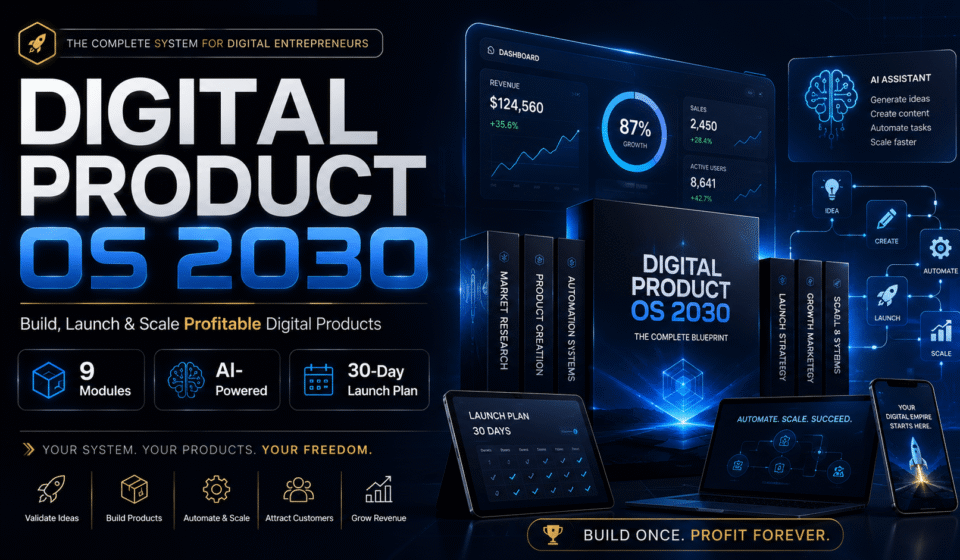
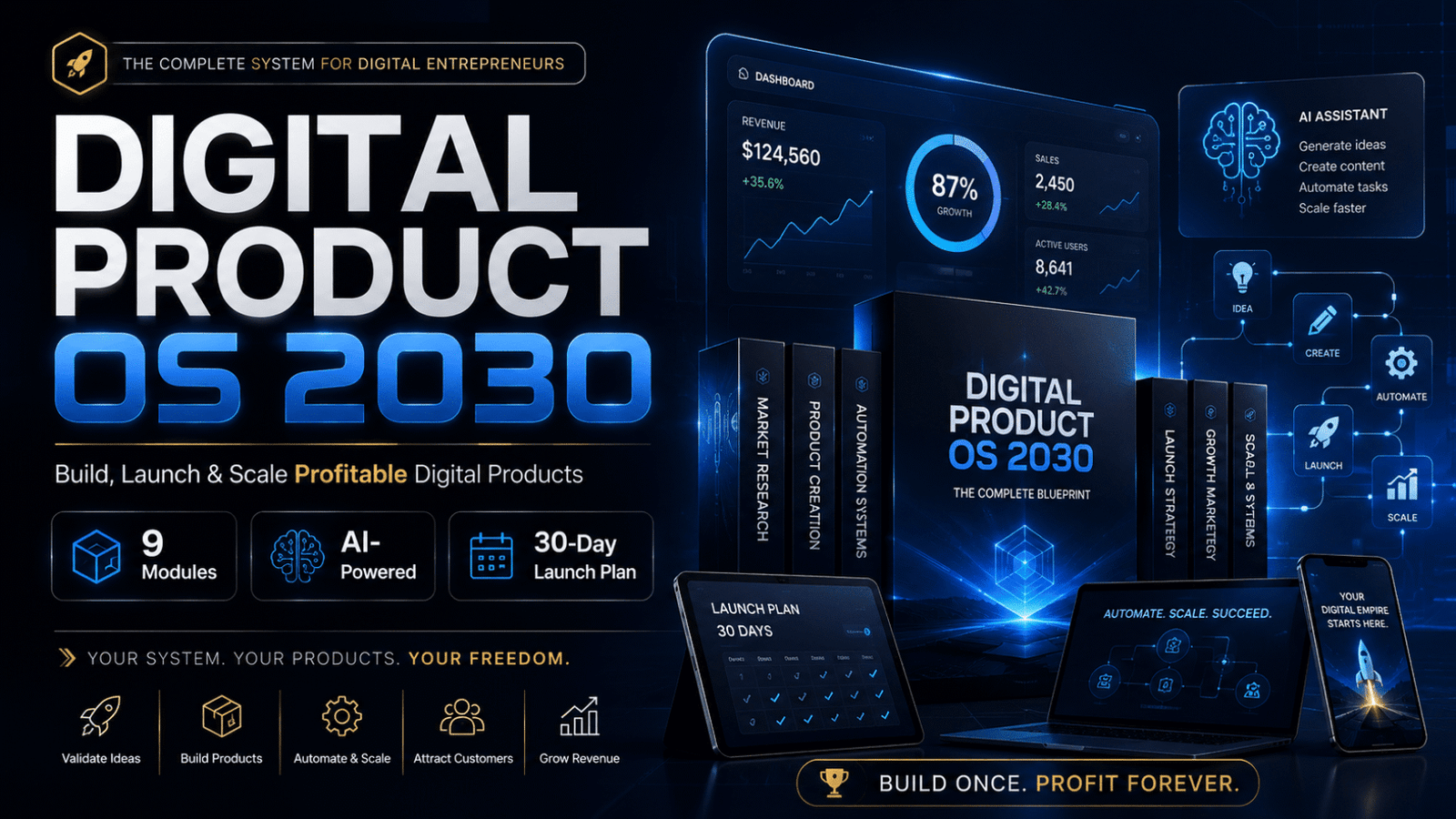
If you want a structured roadmap — from idea validation and AI-assisted creation to pricing, platform setup, launch, and marketing — Digital Product OS 2030 walks through the entire process step by step in Roman Urdu.

how-to-sell-digital-products-on-Gumroad

It is built specifically for Pakistani creators who want to earn online with digital products — and unlike most courses, it is itself an example of what it teaches.

Digital Product OS 2030
Inside Digital Product OS 2030:
  • 9 modules — idea to income
  • The P.R.O.D.U.C.T. framework applied in full detail
  • AI workflows to build your first product in 7 days
  • Pricing strategy with 3-tier system
  • Platform setup — Gumroad, WhatsApp, Instagram
  • Marketing frameworks for zero-budget organic growth
  • 30-Day launch plan — day by day
  • Validation scorecard — know if your idea will sell before you build
  • 25 AI Prompt Pack — ready to use immediately
  • Behind The Product — the full meta case study of how this course was built

Starting from scratch or scaling an existing idea — this is the system that takes you from idea to first sale.

Frequently Asked Questions

Are digital products profitable in 2026?

Yes, but profitability depends heavily on niche selection and consistency. Generic products in oversaturated categories struggle. Specific, well-designed products that solve real problems in underserved niches — including regional niches like Roman Urdu content — are still very profitable. The market is growing at 20%+ annually, so the overall opportunity is expanding even as competition increases in broad categories.

Can beginners sell digital products without an audience?

Yes. Your warm network — WhatsApp contacts, Facebook friends, LinkedIn connections — is your first audience. I made my first sales from people who already knew me, not from strangers on the internet. Start there. Build from that base. An audience you build over 6 months of consistent content then amplifies what you already started.

What digital products sell best on Gumroad?

Based on what I have seen performing consistently: AI prompt packs, niche templates (Canva, Notion, Excel), focused PDF guides, and swipe files. Products priced in the $9–$29 range tend to convert well without requiring a long warm-up or heavy sales copy. The Gumroad discovery page also rewards products with strong titles that match what people search for.

Can I sell AI-generated digital products legally?

Currently, yes — AI-generated content is not inherently illegal to sell. However, pure AI output with no human editing or original contribution tends to produce low-quality products that generate refund requests and poor reviews. More importantly, platform terms of service on Gumroad, Etsy, and others are evolving. My position: use AI as a tool, add genuine value, and always disclose when relevant. That protects you legally and ethically.

How do I get my first sale with no audience?

Start with your warm network — WhatsApp contacts, Facebook friends, LinkedIn connections. Personally message 20-50 people who could genuinely benefit from your product. Your first 5-10 sales almost always come from people who already know you.

What is the easiest digital product to create as a beginner?

A checklist, cheat sheet, or simple template. These can be built in Canva in 2–4 hours, priced at $7–$15, and start generating sales without complex setup. They also serve as validation tools — if a simple version sells, you have confirmed demand before investing in a more complex product.

How long does it take to make first sale from a digital product?

From my experience and what I have observed: if you actively promote to your warm network, expect your first sale within 1–2 weeks. If you rely purely on organic discovery through Gumroad or Etsy with no audience and no marketing, it can take 4–8 weeks or more. The speed of your first sale is almost entirely determined by how directly and personally you promote it.

What is the best digital product for beginners in Pakistan?

Based on the gap I see in the market: Roman Urdu guides, tutorials, and templates for freelancers, students, and small business owners. The English-language digital product market is competitive. The Roman Urdu market has almost no supply. That combination — real demand, minimal competition — is exactly what you look for when choosing a niche.

How to Create and Sell Digital Products as a Beginner?

If you’re a beginner, start with a simple digital product like a PDF guide, Canva template, or AI prompt pack. Focus on solving one specific problem, validate your idea, create a high-quality product, and launch it on platforms like Gumroad or Payhip.
Custom Website Development Services

Custom Website Development Services: Your Roadmap to a Digital Presence That Grows With You

In today’s fast‑moving online world, a generic, template‑driven site simply won’t cut it. Businesses that want to stand out, capture leads, and scale their operations need a solution that is built from the ground up for their unique goals. That’s where custom website development services come in. This blog walks you through everything you need to know about custom web development, the core elements that make a site successful, and how to pick the best custom website development services provider for your budget and vision.

1. What Are Custom Website Development Services?

When we talk about custom website development services, we mean a full‑service approach that starts with a deep understanding of your business and ends with a finished product that is yours alone. Unlike off‑the‑shelf themes, a custom web development project is built from scratch. It includes:

  • A tailored front‑end that matches your brand voice and user expectations.
  • A back‑end architecture that supports the exact functionality you need—whether that’s an e‑commerce checkout, a membership portal, or a complex data dashboard.
  • Ongoing support that keeps the site secure, fast, and up to date.

A reputable custom website development company will combine design, development, testing, and maintenance into a single, cohesive workflow. The result is a site that not only looks great but also performs the way you want it to, today and years down the line.

2. Why Choose Custom Website Development Services?

2.1 Tailored Functionality

One size never fits all in the digital world. With custom web development, you get exactly the features you need—no more, no less. Want a custom booking calendar, an interactive product configurator, or an API that pulls data from your internal CRM? A custom solution can deliver it.

Custom Website Development Services

2.2 Scalable Architecture

custom website development company designs the site so it can grow with you. Whether you add new product lines, expand into new markets, or increase traffic tenfold, the underlying code is built to handle the load without requiring a complete rewrite.

2.3 Competitive Edge

Because the site is unique to you, it can’t be duplicated by a competitor. This uniqueness helps build brand loyalty and can become a key differentiator in crowded markets.

2.4 SEO Friendly Foundations

From the first line of code, a custom website development services team will embed SEO friendly web development practices—clean URLs, fast load times, proper heading hierarchy, and schema markup. This gives you a solid foundation for organic growth without having to retrofit the site later.

2.5 Affordable Custom Web Development

Contrary to the myth that custom work is always expensive, many providers offer affordable custom website development packages that fit small and medium budgets. By leveraging open‑source technologies, reusable components, and transparent pricing, they deliver enterprise‑grade quality without the enterprise price tag.

3. Core Elements of a Successful Custom Site

A high‑performing custom site is more than a pretty homepage. It relies on several interlocking pieces that work together to deliver a great user experience and strong business results. Below are the essential components that the best custom website development services should include.

3.1 Responsive Web Design

In a mobile‑first world, responsive web design is non‑negotiable. The layout, images, and navigation should automatically adjust to desktops, tablets, and smartphones. A site that is truly responsive improves engagement, reduces bounce rates, and boosts search rankings.

3.2 Ecommerce Website Development

If you sell products or services online, you need a robust ecommerce website development layer. This includes secure payment gateways, inventory management, tax calculations, and a checkout flow that converts. A custom e‑commerce solution can be tailored to your specific pricing models, subscription services, or multi‑vendor marketplaces.

3.3 Mobile App Development

Sometimes a website alone isn’t enough. A companion mobile app can provide offline access, push notifications, and deeper integration with device features. Many custom website development services also offer mobile app development, ensuring a consistent brand experience across web and native platforms.

3.4 SEO Friendly Web Development

Search engines reward sites that are fast, secure, and well-structured. By building SEO friendly web development practices into the site from day one—such as optimized images, proper use of header tags, and XML sitemaps—you set the stage for long‑term organic traffic.

3.5 Performance Optimization

Speed matters. Users expect a page to load in under two seconds, and Google penalizes slow sites. Techniques like lazy loading, code splitting, and using a content delivery network (CDN) keep the site snappy. A focus on performance is a hallmark of the top custom web development company.

4. How to Choose the Right Partner for Custom Website Development Services

Picking the best custom website development services provider is a strategic decision. Here are the key criteria to evaluate:

4.1 Portfolio That Matches Your Needs

Look for examples that are similar in scope and industry to your project. A strong portfolio shows the firm can handle both the creative and technical challenges you face.

4.2 Technical Expertise

Make sure the team is fluent in the technologies you require—React, Vue, Angular, Node.js, Django, .NET, WordPress, etc. Ask about their experience with responsive web designecommerce website development, and any other specific features you need.

4.3 Development Methodology

An agile development approach is ideal for custom projects. It breaks work into short sprints, delivers working pieces early, and allows you to adjust priorities as you learn more about user needs.

4.4 Transparent Pricing

Choose a provider that offers affordable custom website development with a clear cost structure. Whether you opt for a fixed price, time‑and‑materials, or a dedicated team, you should know exactly what you’re paying for.

4.5 Ongoing Support

A site is never truly finished. Look for a partner that includes post‑launch maintenance, security patches, performance monitoring, and a roadmap for future enhancements.

4.6 Client Testimonials

Real feedback from past clients reveals how the firm works day‑to‑day. Ask for references and read reviews to gauge reliability, communication, and results.

5. The Custom Development Process – From Idea to Launch

Understanding the workflow helps you know what to expect and how to stay involved. A typical custom website development services project follows these stages:

  1. Discovery & Requirement Gathering – Stakeholders outline goals, target audiences, and functional needs. This phase produces a detailed specification document.
  2. UI/UX Design – Designers create wireframes and high‑fidelity mockups that reflect your brand. Prototypes are tested for usability before any code is written.
  3. Technical Architecture – The development team selects the optimal tech stack and defines the system architecture—monolith, microservices, or serverless—based on the project’s demands.
  4. Agile Development Sprints – Work is divided into two‑week sprints. Each sprint delivers a working piece of the site, which is demoed to you for feedback.
  5. Testing & Quality Assurance – Automated unit tests, integration tests, and manual QA ensure the site works as expected across browsers and devices.
  6. Deployment – The finished site is deployed to a hosting environment—often a cloud platform like AWS, Azure, or Google Cloud. Continuous integration pipelines automate updates.
  7. Monitoring & Maintenance – After launch, the team monitors performance, applies security patches, and adds new features as your business evolves.

Throughout the process, the focus keywordsbest custom website development servicestop custom web development company, and affordable custom website development—guide decisions about prioritization, technology choices, and budget.

6. Case Study: Building a Niche Ecommerce Platform

Client: A boutique skincare brand that wanted to sell directly to consumers online.
Goal: Create a unique online store that reflected the brand’s premium positioning while keeping costs under control.

Solution: The top custom web development company proposed a custom website development services package that combined a React front‑end, a Node.js back‑end, and a Stripe payment integration. They implemented a responsive web design that looked as good on a smartphone as on a desktop. To support the brand’s story, they added a custom content management system so the client could update product pages without developer help. SEO best practices—clean URLs, schema markup, fast load times—were baked in from the start.

Results: Within three months of launch, the site achieved a 30 % increase in conversion rate compared to the client’s previous template store. Organic traffic rose by 45 % in the first quarter, and the client praised the affordable custom website development pricing model that delivered a high‑end solution without exceeding the budget.

This example shows how a focused custom web development effort can deliver measurable business impact while staying cost‑effective.

The digital landscape evolves quickly. The best custom website development services stay ahead by adopting new technologies that improve speed, security, and user engagement.

  • Progressive Web Apps (PWAs) – Combine the reach of the web with the performance of native apps. PWAs load instantly, work offline, and can be installed on a user’s home screen.
  • Serverless Architecture – Eliminates the need to manage servers. Functions run on demand, scaling automatically and reducing infrastructure costs—an attractive option for affordable custom website development.
  • AI‑Powered Chatbots – Provide instant customer support and can be integrated directly into the site’s front‑end, enhancing user experience without extra staff.
  • Voice Search Optimization – As voice assistants become more common, optimizing for conversational queries helps capture this growing traffic source.
  • Low‑Code/No‑Code Tools – Allow rapid prototyping of internal tools, freeing developers to focus on core custom functionality.

By keeping an eye on these trends, a top custom web development company ensures your site remains competitive and future‑proof.

8. Frequently Asked Questions

Q: How long does a custom website take to build?
A: Timeline varies with complexity. A simple brochure site might be ready in 4–6 weeks, while a full‑featured e‑commerce platform can take 3–5 months. An agile development schedule lets you see progress early and adjust scope as needed.

Q: Is a custom site more expensive than a template?
A: Not necessarily. Many providers offer affordable custom website development packages that balance cost and uniqueness. The key is transparent pricing and a clear scope of work.

Q: Do I need a separate mobile app?
A: If a responsive web design meets your needs, a separate app may not be required. However, if you need offline functionality or deep device integration, a mobile app development component can complement the web experience.

Q: How do I ensure my site ranks well in search?
A: Choose a partner that practices SEO friendly web development from day one—clean code, fast load times, proper metadata, and structured data. Ongoing SEO content work can then build on that foundation.

Q: What support should I expect after launch?
A: Look for a maintenance plan that includes security updates, performance monitoring, bug fixes, and a channel for new feature requests. Reliable post‑launch support is a hallmark of the best custom website development services.

9. Conclusion: Turn Your Vision into a Custom Digital Asset

Investing in custom website development services is investing in the future of your business. A site built specifically for you offers the flexibility to evolve, the performance to attract and keep visitors, and the unique branding that sets you apart from competitors. By focusing on the primary keywordscustom website development servicescustom web development, and custom website development company—and supporting them with secondary keywords like responsive web designecommerce website development, and mobile app development, you create a solid, SEO‑friendly foundation.

When you evaluate potential partners, keep the focus keywordsbest custom website development servicestop custom web development company, and affordable custom website development—front and center. Choose a firm that demonstrates a strong portfolio, transparent pricing, an agile workflow, and a commitment to ongoing support. With the right partner, your custom site will not only meet today’s needs but also scale as your business grows.

Mastering Web Development Solutions

Mastering Web Development Solutions: Building a Thriving Digital Presence in 2024

Mastering Web Development Solutions. In an increasingly connected world, web development solutions have become the cornerstone of business success. From startups crafting their first online footprint to enterprises scaling global operations, web development solutions empower organizations to deliver seamless, high-performance websites and applications. These comprehensive services encompass everything from custom coding and responsive design to cloud integration and ongoing maintenance, ensuring your digital assets are robust, secure, and future-proof.

The web development industry is booming, valued at over $40 billion in 2023 and projected to grow at a CAGR of 8.5% through 2030 (Grand View Research). Why the surge? Businesses recognize that superior web development solutions directly correlate with higher engagement, conversions, and revenue. In this exhaustive 3000-word guide, we’ll unpack the essence of web development solutions, their benefits, key services, emerging technologies, industry applications, selection criteria, case studies, pricing insights, and future trends. Whether you’re seeking custom web development solutions or enterprise-grade platforms, this resource equips you to make informed decisions.

What Are Web Development Solutions? A Deep Dive

Web development solutions refer to a full spectrum of services designed to create, optimize, and maintain web-based products. Unlike one-off freelance gigs, professional web development solutions come from specialized agencies or teams that handle the entire lifecycle using proven methodologies like Agile and DevOps.

Core Components of Web Development Solutions:

  • Frontend Development: User-facing interfaces with HTML5, CSS3, JavaScript frameworks (React, Vue.js, Angular).
  • Backend Development: Server-side logic with Node.js, PHP (Laravel), Python (Django), or Ruby on Rails.
  • Full-Stack Integration: Seamless frontend-backend harmony.
  • Database Management: MySQL, MongoDB, or PostgreSQL for data handling.
  • Deployment & Hosting: Cloud solutions like AWS, Vercel, or Heroku.
Mastering Web Development Solutions

Secondary keywords such as professional web development services and custom web development solutions emphasize tailored approaches. For example, a top web development company might build a headless CMS for e-commerce, decoupling content from presentation for flexibility.

Key Differentiators:

ApproachDIY/No-Code ToolsProfessional Web Development Solutions
FlexibilityLimitedUnlimited Customization
PerformanceAverageOptimized (Core Web Vitals)
SecurityBasicAdvanced (OWASP, Encryption)
ScalabilityConstrainedHorizontal/Vertical Scaling

Opting for reliable web development solutions ensures your site isn’t just functional but exceptional.

Why Invest in Premium Web Development Solutions?

The ROI from web development solutions is undeniable. Here’s why forward-thinking businesses prioritize them:

1. Enhanced User Experience (UX)

Custom web development solutions prioritize mobile-first, responsive designs that load in under 3 seconds—reducing bounce rates by 32% (Google). Features like PWAs provide app-like offline access.

2. Scalability for Growth

As your user base expands, scalable web development solutions (a focus keyword) use microservices and serverless architectures to handle spikes without downtime. Think Netflix-level reliability.

3. Bulletproof Security

With cyber attacks rising 15% annually (Cybersecurity Ventures), enterprise web development solutions incorporate multi-factor authentication, DDoS protection, and regular audits, safeguarding sensitive data.

4. SEO and Performance Optimization

Professional web development services bake in schema markup, lazy loading, and AMP for top SERP rankings, driving 50-100% more organic traffic.

5. Cost Efficiency Over Time

Initial investment ($5K-$200K+) yields 4x savings long-term by avoiding plugin bloat and frequent rebuilds.

Stats Spotlight: Companies using advanced web development solutions report 25% higher conversion rates (HubSpot).

Comprehensive Services Offered by Web Development Solutions Providers

Leading web development solutions encompass:

  1. Consulting & Strategy: Wireframing, tech audits, competitor analysis.
  2. UI/UX Design: Adobe XD or Figma for intuitive prototypes.
  3. E-Commerce Development: WooCommerce, Shopify customizations.
  4. API Development: RESTful/GraphQL for integrations (Payment gateways, CRMs).
  5. CMS Customization: WordPress, Drupal, or headless like Sanity.
  6. Progressive Enhancements: PWAs, SPAs (Single Page Apps).
  7. Testing & QA: Cross-browser, load testing with tools like Cypress.
  8. Maintenance & Support: Monthly updates, performance monitoring.

Top web development companies often bundle these into packages, with affordable web development solutions starting at hourly rates of $50-$150.

(Word count so far: 1124)

Cutting-Edge Technologies Powering Web Development Solutions

Mastering Web Development Solutions

Web development solutions thrive on innovation:

  • Frameworks: Next.js for SSR/SSG, Svelte for lightweight apps.
  • Backend: FastAPI (Python), NestJS (Node).
  • Cloud: AWS Lambda, Google Firebase for serverless.
  • AI/ML: Integrating Hugging Face models for chatbots.
  • Security Tools: Auth0, Cloudflare WAF.
  • Performance: Web Vitals optimization, Image optimization (WebP).

Focus keyword: innovative web development solutions defines leaders adopting Jamstack for 10x faster sites.

Industry-Specific Web Development Solutions

Web development solutions adapt to sectors:

E-Commerce

Dynamic carts, AR try-ons, personalized recommendations boosting AOV by 20%.

Healthcare

HIPAA-compliant portals with telemedicine via WebRTC.

Finance (FinTech)

Secure dashboards with real-time trading, compliant with PCI-DSS.

Education (EdTech)

Interactive LMS with quizzes, VR simulations.

Real Estate

Virtual tours, MLS integrations for lead gen.

custom web development solutions provider ensures industry relevance.

Professional web development services are evolving with:

  1. AI-Driven Development: GitHub Copilot for code gen, auto-SEO.
  2. Web3 & Blockchain: NFT marketplaces, decentralized auth.
  3. Edge Computing: Faster global delivery via Cloudflare Workers.
  4. Sustainable Web: Eco-friendly hosting, reduced JS bundles.
  5. Voice Search & Accessibility: WCAG 2.2 compliance, schema for assistants.
  6. Composables: Micro-frontends for modular builds.

Scalable web development solutions embrace these for competitive edges.

How to Select the Best Provider for Web Development Solutions

Proven framework:

  1. Assess Needs: MVP vs. enterprise?
  2. Portfolio Review: Case studies matching your niche.
  3. Tech Stack Alignment: Ensure modernity.
  4. Client Feedback: Clutch/G2 ratings >4.8.
  5. Team Expertise: Certifications (AWS, Google Cloud).
  6. Pricing Transparency: Quotes with breakdowns.
  7. Contracts: Milestones, escape clauses.

Red Flags: No demos, offshore-only without SLAs. Choose a reliable web development solutions firm.

Real-World Case Studies: Success Stories from Web Development Solutions

Case 1: E-Commerce Scale-Up
A fashion brand tapped custom web development solutions for a headless Magento site. Tech: React + Strapi. Results: 45% faster loads, 60% sales uplift.

Case 2: SaaS Platform Launch
Enterprise web development solutions built a CRM alternative. Features: AI analytics. Outcome: 10K users in 6 months, $2M ARR.

Case 3: Non-Profit Portal
Responsive donation platform with PWAs. Impact: 300% donor engagement.

Case 4: B2B Marketplace
Microservices migration. Savings: 40% infra costs.

These exemplify top web development companies delivering ROI.

Detailed Cost Analysis of Web Development Solutions

Breakdown:

  • Basic Sites: $5K-$15K (Landing pages).
  • Custom Apps: $20K-$80K (E-com, dashboards).
  • Enterprise: $100K+ (Complex integrations).

Influencers: Location (US: $100/hr; Offshore: $30/hr), Timeline (3-18 months).

Project TypeCost RangeKey Features
Brochure Site$5K-$20KResponsive, Basic CMS
Web App$30K-$100KUser Auth, APIs
Enterprise Portal$150K+AI, Scalability, Compliance

Affordable web development solutions balance quality and budget via phased delivery.

The Future of Web Development Solutions

Quantum-safe encryption, metaverse integrations, and zero-trust architectures await. Innovative web development solutions will prioritize privacy (post-GDPR era) and multimodal UIs (voice + gesture). Sustainability mandates like EU Green Deal will push green coding practices.

Challenges in Implementing Web Development Solutions & Solutions

Common Hurdles:

  • Scope Creep: Mitigate with agile sprints.
  • Integration Issues: Use standardized APIs.
  • Maintenance: Automate with CI/CD.

Proactive professional web development services address these upfront.

Best Practices for Maximizing Web Development Solutions

  1. Collaborate Early: Daily stand-ups.
  2. Prioritize Mobile: 60% traffic mobile (Statista).
  3. Focus on Accessibility: Inclusive design.
  4. Monitor Analytics: Google Analytics 4.
  5. Iterate Post-Launch: A/B testing.

Conclusion: Unlock Potential with Elite Web Development Solutions

Web development solutions are more than code—they’re your gateway to digital mastery. From bespoke designs to scalable architectures, partnering with experts accelerates success. Don’t lag behind; engage custom web development solutions providers today for a free audit. Transform ideas into impactful realities!

Web Application Development Firm

Web Application Development Firm: A Complete Business Guide for 2025

In the fast-paced digital landscape of 2024, businesses are increasingly turning to a web application development firm to build robust, innovative web applications that drive growth and efficiency. Whether you’re launching a SaaS platform, an e-commerce marketplace, or an internal enterprise tool, partnering with a web application development firm ensures tailored solutions that stand out from generic software. These firms bring together elite developers, designers, and strategists to deliver high-performance apps using cutting-edge technologies.

Web Application Development Firm

The demand for web application development firms has skyrocketed, with the global web app market projected to reach $196 billion by 2028 (Statista). Why? Because off-the-shelf solutions like no-code builders can’t match the customization, security, and scalability of professionally crafted web apps. In this comprehensive 3000-word guide, we’ll explore everything from services and benefits to trends, selection tips, and real-world case studies. Discover why a top web application development firm is your best bet for digital transformation.

Website Development Services in USA. If you’re evaluating website development services in the USA—whether for a corporate site, ecommerce brand, or custom web app—this guide breaks down what top providers include, how to plan a build that’s fast and accessible, the tech stack to request, realistic cost/timeline ranges, and a vendor scorecard you can use to compare proposals.

What Exactly is a Web Application Development Firm?

web application development firm is a specialized agency or company focused exclusively on creating interactive, server-side web applications. Unlike general IT firms or freelance developers, these web app development firms emphasize full-cycle development: from requirements gathering and UI/UX design to coding, testing, deployment, and ongoing maintenance.

Web Development Company in America. If you’re evaluating website development options in the USA—whether for a corporate site, ecommerce store, or custom web app—this guide outlines the strategy, stack, compliance, timelines, and vendor-selection criteria that matter. You’ll learn what top‑tier web development services USA include, how to protect performance and SEO, and how to choose a partner that ships reliably and supports growth.

Core Characteristics of a Web Application Development Firm:

  • Expert Teams: Full-stack developers proficient in JavaScript frameworks (React, Vue.js), backend languages (Node.js, Python, Java), and databases (PostgreSQL, MongoDB).
  • Process-Oriented: Agile/Scrum methodologies for iterative delivery.
  • Scalable Infrastructure: Expertise in cloud platforms like AWS, Azure, and Google Cloud.
  • Security-First Approach: Built-in compliance with standards like GDPR, SOC 2, and ISO 27001.

Secondary keywords, such as “custom web application development firm,” highlight their ability to build from scratch, thereby avoiding template limitations. For instance, a professional web application development firm can integrate AI for predictive analytics or blockchain for secure transactions.

Top Web Application Development Companies. In the era of digital transformation, businesses worldwide rely on robust web applications to streamline operations, engage users, and drive revenue. Web application development companies specialize in creating dynamic, secure, and scalable web apps tailored to your needs—from SaaS platforms to customer portals. With thousands of options, selecting the right web app development companies can be overwhelming. This blog dives into the best web application development companies, their services, trends, and tips to partner with top performers.

Top Web Application Development Companies. In the era of digital transformation, businesses worldwide rely on robust web applications to streamline operations, engage users, and drive revenue. Web application development companies specialize in creating dynamic, secure, and scalable web apps tailored to your needs—from SaaS platforms to customer portals. With thousands of options, selecting the right web app development companies can be overwhelming. This blog dives into the best web application development companies, their services, trends, and tips to partner with top performers.

Distinguishing Features:

TypeFreelancersWeb Application Development FirmLarge Consultancies
CustomizationBasicHighVariable
ScalabilityLimitedEnterprise-LevelHigh (Expensive)
SupportAd-Hoc24/7 SLAContract-Based
CostLow InitialMid-High (Value-Driven)Premium

Choosing a reliable web application development firm means investing in longevity—apps that evolve with your business.

Why Partner with a Leading Web Application Development Firm?

The advantages of engaging a web application development firm are transformative. Here’s a deep dive:

1. Unmatched Customization

Generic platforms like WordPress limit functionality. A top web application development firm crafts apps aligned with your unique workflows, such as custom dashboards for inventory management.

2. Superior Scalability and Performance

Web application development firms optimize for high traffic using microservices, load balancers, and CDNs. Result? Apps handling Black Friday surges without crashing, with load times under 2 seconds—boosting SEO and conversions by 20-30% (Google benchmarks).

Web Application Development Firm

3. Ironclad Security

Cyber threats cost businesses $4.45 million per breach (IBM). Enterprise web application development firms implement OWASP best practices, encryption, and regular pentests, reducing vulnerabilities by 90%.

4. Accelerated Time-to-Market and ROI

Agile sprints from a custom web app development firm deliver MVPs in 4-8 weeks. Clients report 3x faster ROI through automation—e.g., reducing manual data entry by 70%.

5. Ongoing Innovation and Maintenance

Post-launch, professional web app developers at these firms handle updates, bug fixes, and feature additions via DevOps pipelines, minimizing downtime.

Real Impact: Businesses using apps from the best web application development firms see 40% higher user retention (Forrester Research).

Focus keywords, such as ‘scalable web app development firm,’ underscore their role in handling growth from 1,000 to 1 million users seamlessly.

Essential Services from a Web Application Development Firm

Web application development firms offer a comprehensive suite:

  1. Discovery & Consulting: Requirements analysis, tech stack recommendations.
  2. UI/UX Design: Figma prototypes for intuitive interfaces.
  3. Frontend Development: Responsive designs with React, Angular, Svelte.
  4. Backend Development: Robust APIs with Express.js, Django, Spring Boot.
  5. Database & Integration: SQL/NoSQL, third-party APIs (Stripe, Twilio).
  6. QA & Testing: Automated unit/integration tests (Jest, Selenium).
  7. Deployment & DevOps: CI/CD with Jenkins, Kubernetes orchestration.
  8. Maintenance & Support: Monitoring via New Relic, 99.99% uptime guarantees.

Specialized services include PWA developmentheadless CMS integration (Strapi, Contentful), and migration from monoliths to microservices.

For enterprise clientsweb app development firms provide dedicated pods—cross-functional teams for complex projects.

Web Development Services In USA. If you’re searching for a reliable website development company in the USA, you’re likely weighing speed, security, SEO, compliance, and long‑term support—not just a pretty redesign. This guide explains what top U.S. web development firms deliver, how to evaluate proposals, realistic timelines and budgets, and the non‑negotiables (accessibility, Core Web Vitals, and compliance) that protect rankings and revenue.

Cutting-Edge Technologies in Web Application Development Firms

Modern web application development firms leverage:

  • Frontend: Next.js for SSR, Tailwind CSS for styling.
  • Backend: Node.js for real-time, Go for performance.
  • Databases: Firebase for real-time sync, Redis for caching.
  • Cloud/DevOps: AWS Amplify, Terraform for IaC.
  • Emerging: GraphQL for efficient queries, Web3.js for dApps.

These stacks ensure apps are future-ready, with a focus keyword: innovative web application firm leading adoption.

Industry-Specific Expertise of Web Application Development Firms

Web application development firms excel across sectors:

Fintech

Secure trading platforms with KYC/AML compliance. Example: Real-time fraud detection apps.

Healthcare

HIPAA-compliant EHR systems with telehealth features.

E-Commerce

Headless storefronts integrating Shopify/Magento for omnichannel sales.

EdTech

LMS platforms like custom Moodle alternatives with gamification.

Logistics

IoT-enabled tracking dashboards reducing delivery times by 25%.

custom web application development firm tailors solutions, e.g., AI-driven recommendations for retail.

Top web application development firms are pioneering:

  1. AI/ML Integration: TensorFlow.js for on-device inference.
  2. Jamstack & Serverless: Gatsby + Netlify for blazing speed.
  3. Zero-Trust Security: BeyondCorp models.
  4. Sustainability: Green hosting to cut carbon footprints.
  5. Voice & AR: Web Speech API, Three.js.

These trends make scalable web app development more accessible.

Technologies Used by Leading Web Application Development Firms

Top firms use modern and reliable technologies to ensure performance and scalability:

Front‑End Technologies

  • React.js
  • Angular
  • Vue.js
  • HTML5, CSS3, JavaScript

Back‑End Technologies

  • Node.js
  • Laravel
  • Django
  • Ruby on Rails
  • ASP.NET

Databases

  • MySQL
  • PostgreSQL
  • MongoDB
  • Firebase

Cloud & DevOps

  • AWS
  • Microsoft Azure
  • Google Cloud
  • Docker & Kubernetes

Benefits of Hiring a Web Application Development Firm

Improved Operational Efficiency

Automating workflows reduces manual effort and increases productivity.

Enhanced User Experience

Professional UI/UX design improves user satisfaction and retention.

Cross‑Platform Compatibility

Web applications work seamlessly across browsers, operating systems, and devices.

Data‑Driven Insights

Built‑in analytics help businesses make informed decisions.

Faster Time to Market

Experienced development teams follow agile methodologies to deliver projects efficiently.

Industries Served by Web Application Development Firms

A professional web application development firm serves a wide range of industries, including:

  • Healthcare
  • Finance & Banking
  • eCommerce & Retail
  • Education & E‑Learning
  • Real Estate
  • Logistics & Supply Chain
  • Travel & Hospitality
  • Manufacturing

Each industry requires tailored features, compliance standards, and security protocols.

How to Choose the Best Web Application Development Firm

Selecting the right partner is crucial. Consider the following factors:

1. Experience & Portfolio

Review previous projects to assess quality, complexity, and industry relevance.

2. Technical Expertise

Ensure the firm works with modern frameworks and cloud platforms.

3. Client Reviews & Testimonials

Check feedback on trusted platforms to evaluate credibility and performance.

4. Development Process

A transparent process with clear milestones ensures smooth collaboration.

5. Pricing & Communication

Choose a firm with clear pricing, no hidden costs, and strong communication practices.

Web Application Development Process Explained

A professional web application development firm follows a structured approach:

Requirement Analysis

Understanding business goals, user needs, and technical requirements.

Planning & Architecture

Defining technology stack, system architecture, and development roadmap.

UI/UX Design

Creating wireframes and prototypes for user‑friendly experiences.

Development

Coding front‑end and back‑end components using modern frameworks.

Testing & Quality Assurance

Ensuring performance, security, and bug‑free functionality.

Deployment

Launching the application on secure cloud servers.

Maintenance & Updates

Continuous improvements and long‑term support.

Why Web Applications Are Better Than Traditional Software

  • No installation required
  • Accessible from anywhere
  • Automatic updates
  • Lower maintenance costs
  • Easier scalability

These advantages make web applications the preferred choice for modern businesses.

Leading web application development firms are adopting emerging trends such as:

  • Artificial Intelligence & Machine Learning
  • Low‑Code and No‑Code Platforms
  • Serverless Architecture
  • Microservices
  • Enhanced Cybersecurity
  • Voice Search Integration

Staying ahead of these trends ensures long‑term digital success.

How to Choose the Perfect Web Application Development Firm

Step-by-step guide:

  1. Define Needs: Scope, budget ($25K-$500K+).
  2. Research: Clutch, GoodFirms reviews (4.9+ stars).
  3. Portfolio Audit: Similar projects.
  4. Tech Fit: Match your stack.
  5. Interviews: Ask about processes, SLAs.
  6. Contracts: IP rights, milestones.
  7. Red Flags: Vague pricing, no NDAs.

Questions: “How do you handle scope creep?” Pro: Reliable web app firm with transparent roadmaps.

Real-World Case Studies from Web Application Development Firms

Case 1: SaaS Startup (E-Commerce Tool)
Partnered with a web application development firm for a multi-tenant inventory app. Tech: MERN stack, AWS. Results: 50K users, 300% revenue growth in Year 1.Web application development services

Case 2: Healthcare Portal
Enterprise web app firm built a patient management system. Features: Video consults, EHR API. Outcome: 80% admin efficiency gain, zero breaches.

Case 3: Fintech Dashboard
Custom BI tool with real-time analytics. ROI: 45% cost savings.

These showcase professional web application developers in action.

Cost Breakdown: Investing in a Web Application Development Firm

Factors:

  • Complexity: Simple ($20K-$50K), Complex ($100K+).
  • Team Size: 5-20 devs.
  • Timeline: 3-12 months.
  • Models: Fixed, Time & Materials, Dedicated Team.

Value: 2-3x ROI within 18 months.

Project SizeCost RangeTimeline
MVP$25K-$75K2-4 mo
Enterprise$150K-$500K6-12 mo

Opt for an affordable web app development firm without skimping on quality.

The Future Landscape for Web Application Development Firms

With metaverses, quantum computing threats, and regulatory shifts (e.g., EU AI Act), web application development firms will focus on ethical AI, decentralized identity, and edge AI. Early partnerships yield first-mover advantages.

Conclusion: Elevate with a Premier Web Application Development Firm

web application development firm isn’t just a vendor—it’s a strategic ally for digital dominance. From bespoke apps to ongoing innovation, they deliver measurable results. Ready to transform? Contact a top web application development firm today for a free consultation. Harness custom web app development for tomorrow’s success!

What Do Web Application Development Companies Offer?

Top Web Application Development Companies: Building Scalable Solutions for the Future

Top Web Application Development Companies. In the era of digital transformation, businesses worldwide rely on robust web applications to streamline operations, engage users, and drive revenue. Web application development companies specialize in creating dynamic, secure, and scalable web apps tailored to your needs—from SaaS platforms to customer portals. With thousands of options, selecting the right web app development companies can be overwhelming. This blog dives into the best web application development companies, their services, trends, and tips to partner with top performers.

What Do Web Application Development Companies Offer?

What Do Web Application Development Companies Offer?

Web application development companies deliver end-to-end solutions using modern stacks like MERN (MongoDB, Express.js, React, Node.js), MEAN, or serverless architectures on AWS Lambda. They handle everything from ideation to deployment and maintenance.

Key offerings include:

  • Custom Web Apps: Bespoke solutions beyond templates.
  • Progressive Web Apps (PWAs): Offline-capable, app-like experiences.
  • API Integrations: Seamless connections with CRM, ERP, or third-party services.

Secondary keywords such as professional web app developers and custom web application development emphasize expertise in industries like finance, healthcare, and e-learning.

Website Development Services in USA. If you’re evaluating website development services in the USA—whether for a corporate site, ecommerce brand, or custom web app—this guide breaks down what top providers include, how to plan a build that’s fast and accessible, the tech stack to request, realistic cost/timeline ranges, and a vendor scorecard you can use to compare proposals.

Why Choose Leading Web Application Development Companies?

Off-the-shelf tools fall short for complex needs. Partnering with top web app development companies ensures:

Web Development Company in America. If you’re evaluating website development USA options—whether for a corporate site, ecommerce store, or a custom web app—this guide lays out the strategy, stack, compliance, timelines, and vendor‑selection criteria that matter. You’ll learn what top‑tier web development services USA include, how to protect performance and SEO, and how to choose a partner that ships reliably and supports growth.

1. Scalability & Performance

Web application development companies build apps that handle millions of users with microservices, Docker, and Kubernetes. Expect 99.9% uptime and sub-second response times.

2. Enhanced Security

From OAuth authentication to zero-trust models, the best web application development companies prioritize data protection against breaches—crucial for compliance (HIPAA, PCI-DSS).

3. Agile Development & Faster ROI

Using Scrum methodologies, these firms deliver MVPs in weeks, iterating based on feedback. Long-term, custom apps reduce costs by 30-50% vs. legacy systems.

Top Web Application Development Companies
AspectFreelancers/Custom CodeTop Web App Development Companies
ScalabilityLimitedUnlimited (Cloud-Native)
SecurityBasicEnterprise-Grade
MaintenanceManualAutomated CI/CD
Time to Market6-12 Months2-4 Months

Focus keyword: enterprise web application development shines here, powering Fortune 500 successes.

Web application development companies are at the forefront of innovation:

  • AI-Powered Apps: ChatGPT integrations for personalization.
  • Low-Code/No-Code Hybrids: Tools like Bubble or Adalo for rapid prototyping.
  • WebAssembly (Wasm): Near-native speeds for heavy computations.
  • Serverless & Edge Computing: Cost-efficient scaling with Vercel or Cloudflare.

Custom web app development services from leading firms incorporate these for future-proof apps.

How to Select the Best Web Application Development Companies

Not all web app development companies are equal. Evaluate based on:

  1. Portfolio: Case studies in web application development services.
  2. Tech Expertise: Full-stack pros in React Native, Python/Django, or Go.
  3. Client Reviews: Clutch.co scores above 4.8/5 for reliable web app developers.
  4. Team Size & Location: Offshore vs. onshore for the best web application development companies.
  5. Pricing Models: Fixed-price ($20K-$150K) or hourly ($50-$100/hr).

Pro Tip: Demand NDAs, prototypes, and post-launch SLAs.

Web Development Company in America. If you’re evaluating website development options in the USA—whether for a corporate site, ecommerce store, or custom web app—this guide outlines the strategy, stack, compliance, timelines, and vendor-selection criteria that matter. You’ll learn what top‑tier web development services USA include, how to protect performance and SEO, and how to choose a partner that ships reliably and supports growth.

Case Study: Revolutionizing Fintech with Web Application Development Companies

A European bank collaborated with a top web application development company for a secure trading platform. Challenges: Legacy slowdowns, regulatory hurdles. Solution: Microservices architecture, blockchain for transactions, and real-time dashboards via WebSockets. Results: 60% faster trades, 35% user growth. Enterprise web application development keywords boosted their SEO.

The Future of Web Application Development Companies

As Web3, AR/VR, and 5G evolve, web application development companies will pioneer decentralized apps (dApps), voice interfaces, and hyper-personalization. Early adopters gain a competitive edge.

Ready to Launch Your Next Web App?

Elevate your business with web application development companies that deliver excellence. Contact professional web app developers for a free audit today. Discover custom web application development that scales with you!

Why Hire Professional Web Application Development Companies?

1. Custom Web App Solutions

Professional companies build custom web applications tailored to your business requirements, ensuring flexibility and scalability.

2. Advanced Technology Stack

Top development companies use modern frameworks like React, Angular, Vue.js, Node.js, Laravel, and Python for robust performance.

3. High Security Standards

Security is a top priority. Experienced developers implement data encryption, secure authentication, and compliance standards.

4. Scalable & Future‑Ready Apps

Web applications are designed to grow with your business, handling increased traffic and new features with ease.

Services Offered by Web Application Development Companies

Leading companies provide a wide range of services, including:

Custom Web Application Development

Fully customized web apps designed for performance and scalability.

Enterprise Web App Solutions

Complex applications built to support large‑scale business operations.

SaaS Application Development

Cloud‑based software solutions with subscription models.

Progressive Web Applications (PWA)

Fast, reliable, and mobile‑friendly web apps with offline access.

Web App Maintenance & Support

Ongoing updates, security monitoring, and performance optimization.

How to Choose the Best Web Application Development Company

When selecting a development partner, consider the following:

Technical Expertise

Ensure the company is skilled in modern web technologies and frameworks.

Portfolio & Experience

Review past projects to evaluate quality and industry experience.

Client Reviews & Testimonials

Check trusted platforms for genuine feedback and ratings.

Transparent Pricing

Choose companies offering clear pricing and well‑defined project timelines.

Benefits of Hiring Web Application Development Companies

Improved Business Efficiency

Automate processes and reduce operational costs.

Enhanced User Experience

Intuitive UI/UX design improves engagement and retention.

Cross‑Platform Compatibility

Web apps work smoothly across all browsers and devices.

Cost‑Effective Development

Web applications eliminate the need for multiple platform builds.

web application development companies

1. What do web application development companies do?

Web application development companies design, develop, and maintain browser‑based applications that help businesses automate processes, improve user experience, and scale operations efficiently.

2. How much does web application development cost?

The cost of web application development typically ranges from $3,000 to $50,000+, depending on features, complexity, technology stack, security requirements, and project scope.

3. How long does it take to build a web application?

A basic web application may take 6–10 weeks, while complex or enterprise‑level web applications can take 3–6 months or more.

4. Are web applications secure?

Yes, professional web application development companies implement advanced security measures such as data encryption, secure authentication, regular testing, and compliance with industry standards.

5. Why should I hire a professional web application development company?

Hiring professionals ensures a custom, scalable, secure, and high‑performance web application built using modern technologies—saving time, reducing risks, and delivering better long‑term results.

Website Development Services in USA

Website Development Services in USA: Strategy, Stack, Pricing

Website Development Services in USA. If you’re evaluating website development services in the USA—whether for a corporate site, ecommerce brand, or custom web app—this guide breaks down what top providers include, how to plan a build that’s fast and accessible, the tech stack to request, realistic cost/timeline ranges, and a vendor scorecard you can use to compare proposals.

Website Development Services in USA

Why Choose Website Development Services in the USA?

  • Time‑zone alignment and velocity
    • Faster workshops, approvals, and iteration across ET/CT/MT/PT.
  • Compliance and contracts
    • U.S. teams are fluent in ADA/WCAG 2.2, Section 508, CCPA/CPRA, HIPAA/HITECH, PCI DSS—and provide clear MSAs/SOWs with IP ownership.
  • Data residency and security
    • US cloud regions (AWS/Azure/GCP), SOC 2‑ready practices, and on‑call SLAs help you scale reliably.
  • Talent density
    • Access to senior architects, accessibility specialists, performance engineers, and growth practitioners in one place.

What Website Development Services Typically Include (Menu of Capabilities)

  • Strategy & discovery
    • Stakeholder interviews, analytics audit (GA4), technical SEO & performance baselines, KPI roadmap, risk register.
  • UX/UI design
    • Information architecture, wireframes/prototypes, design system (tokens/components), accessibility baked in (WCAG).
  • Custom web development
    • Front‑end (SSR/SSG/SPA), back‑end APIs, dashboards/portals, integrations (ERP/CRM/3PL).
  • Ecommerce website development
    • Shopify/Shopify Plus, WooCommerce, headless commerce; payments, tax, fulfillment, subscriptions, loyalty.
  • CMS builds
    • WordPress development USA (block editor, custom fields) or headless CMS (Sanity/Contentful/Strapi) for multi‑channel publishing.
  • Performance & technical SEO
    • Core Web Vitals optimization, schema, indexability, faceted navigation controls, content governance.
  • Security & compliance
    • Secure SDLC, SSO/MFA, vulnerability scanning, audit logs, data protection (PII/PHI/card data).
  • Cloud & DevOps
    • IaC (Terraform), CI/CD, containerization (Docker/Kubernetes), observability (APM/logs), blue‑green/canary deploys, rollback plan.
  • Website maintenance and support
    • Patch cycles, uptime monitoring, incident response, CRO/SEO sprints, quarterly architecture reviews.

The Process: From Idea to Measurable Outcomes

  1. Discover
  • Define KPIs (leads, demo requests, ecomm conversion/AOV), analyze GA4 funnels, run SEO/accessibility/performance audits, map user journeys.
  1. Architect
  • Choose rendering model (SSG/SSR/SPA), data structures, and integration patterns. Threat model and compliance plan (ADA/CCPA/HIPAA/PCI) early.
  1. Design
  • Build a reusable design system (tokens for color/type/spacing, states), accessible components, and task‑focused prototypes.
  1. Build
  • TypeScript first; automated tests (unit/integration/e2e), code review, feature flags, CI/CD pipelines; keep dependencies lean.
  1. Harden
  • Enforce Core Web Vitals budgets, run SAST/DAST, remediate pen‑test findings, validate structured data, crawl and index checks.
  1. Launch
  • Blue‑green or canary deploy, rollback plan, status page, Search Console verification and sitemap submission, on‑call coverage.
  1. Operate & grow
  • SLAs for uptime/MTTR, CRO experiments, SEO sprints, quarterly performance/accessibility reviews, backlog grooming.

The Modern U.S. Web Stack (Fast, Maintainable, Search‑Friendly)

  • Front‑end
    • React/Next.js or Vue/Nuxt for SSR/SSG; Tailwind or CSS variables for design tokens; Storybook for components; RSC/edge where appropriate.
  • Back‑end
    • Node.js (Nest/Fastify), Python (Django/FastAPI), .NET 8, or Java (Spring); REST/GraphQL APIs; Redis for caching/queues.
  • Databases & search
    • Postgres/MySQL for OLTP, MongoDB for documents, OpenSearch/Algolia for search, BigQuery/Snowflake for analytics.
  • CMS
    • WordPress (hardened) for marketing; Sanity/Contentful/Strapi for headless content; WordPress VIP where governance is required.
  • Ecommerce
    • Shopify/Shopify Plus, WooCommerce, or headless storefront (Next.js + commerce APIs) for complex catalogs.
  • Cloud & DevOps
    • AWS/Azure/GCP (US regions), Terraform IaC, Docker/Kubernetes (EKS/AKS/GKE), CDN (CloudFront/Fastly/Cloudflare), observability (Datadog/New Relic, Sentry, OpenTelemetry).

Principle: pick fewer mainstream tools, integrate deeply, document everything.

Non‑Negotiables: Accessibility, Core Web Vitals, and SEO

  • Accessibility (ADA, WCAG 2.2, Section 508)
    • Semantic HTML, labeled forms, keyboard navigation, visible focus states, ARIA only when necessary, alt text, transcripts/captions.
    • Verify with axe/WAVE, keyboard‑only passes, and NVDA/VoiceOver; publish an accessibility statement/VPAT.
  • Core Web Vitals (performance)
    • Targets: LCP < 2.5s, INP < 200 ms, CLS < 0.1.
    • Image pipeline (WebP/AVIF), responsive srcset, lazy‑load, code splitting, defer non‑critical JS, font‑display: swap, edge caching.
  • Technical SEO
    • SSR/SSG for indexable pages, clean URLs, canonicals, XML sitemaps/robots, schema.org (Product/FAQ/Article/Breadcrumb), faceted navigation controls, hreflang when international.

These pillars preserve rankings, improve UX, and drive conversion.

  • CCPA/CPRA
    • Consent banner, data subject request workflows, retention transparency, first‑party data strategy; consider server‑side tagging.
  • HIPAA (health)
    • PHI encryption, audit logs, BAAs, access controls; use HIPAA‑eligible services and segregated data stores.
  • PCI DSS (ecommerce)
    • Tokenized payments (Stripe/Adyen/Braintree), key management, logging; minimize PCI scope and never store card data.
  • SOC 2 readiness
    • Change management, access reviews, incident response, evidence collection for audits.
  • ADA/Section 508
    • Target WCAG 2.2 AA across design/dev/QA and document conformance.
Website Development Services in USA

Ecommerce Website Development: What Moves the Needle

  • PDP (product page)
    • Fast gallery, variant swatches, size/fit guides, returns/guarantees, reviews/UGC, sticky add‑to‑cart, delivery ETA.
  • PLP (listing page)
    • Faceted filters with counts, quick‑add, relevance sorting, helpful badges (bestseller/few left/new).
  • Checkout
    • Shop Pay/Apple/Google Pay, guest checkout, minimal fields, trust badges; transparent shipping/tax; progress indicator.
  • Ops
    • OMS/3PL integration, tax engine (Avalara/TaxJar), fraud tools, subscriptions (Recharge/Skio), loyalty/referrals, post‑purchase flows.

Pricing & Timeline Benchmarks (Non‑Binding)

Project typeTypical timelineBudget range (USD)
Marketing site (custom theme + CMS)4–8 weeks$15k–$60k
MVP web app8–14 weeks$60k–$180k
Ecommerce build (custom PDP/PLP + integrations)10–16 weeks$80k–$250k
Enterprise portal/SaaS16–28+ weeks$150k–$500k+
Maintenance & SLAsOngoing$2k–$20k+/mo

Drivers: scope/complexity, integrations, compliance needs, content readiness, approval cadence, and performance targets.


How to Choose a Website Development Company USA (Scorecard + RFP)

RFP Checklist (ask for proof)

  • 2–3 case studies with before/after metrics (CWV, conversion, SEO, uptime)
  • Architecture diagram & rationale (alternatives considered)
  • Accessibility plan (WCAG 2.2 AA) and verification (automated + manual audits)
  • SEO migration plan (redirect map, canonicals, schema, crawl tests)
  • Performance budget & enforcement (CI Lighthouse, RUM)
  • Security/compliance approach (threat modeling, SAST/DAST, HIPAA/PCI as needed)
  • Named team (roles, seniority, weekly allocation)
  • SLAs (response/resolve/uptime), monitoring/APM stack, rollback plan
  • IP ownership, repo access, documentation & handoff

Vendor Scorecard (1–5, multiply by weight)

  1. Proven outcomes (weight 3)
  2. Accessibility & performance practice (3)
  3. SEO migration expertise (3)
  4. Security & compliance maturity (3)
  5. Team seniority & continuity (2)
  6. Architecture & documentation (2)
  7. Communication & PM discipline (2)
  8. References & reputation (2)
  9. Support SLAs & observability (2)
  10. Commercial clarity (2)

Highest total wins—tie goes to the team with the clearest plan and proofs of concept.

Quick Wins You Can Apply Now (Before You Hire)

  • Performance: Convert hero images to WebP/AVIF; preload primary font; defer non‑critical scripts; remove unused apps/plugins.
  • SEO: One H1 per page; add schema (Product/FAQ/Article) to key templates; fix 404s/redirect chains; submit sitemaps in Search Console.
  • Accessibility: Ensure keyboard navigation works; add visible focus states; label every form field; write descriptive alt text.
  • Analytics: Validate GA4 purchase/lead events; set up error tracking (Sentry); enable cookie/consent controls.

FAQs

What platform should we choose—WordPress, Shopify, or headless?

  • WordPress: Content‑led marketing sites; fast to publish; strong SEO control.
  • Shopify: Ecommerce with world‑class checkout (Shop Pay); extend with apps/Functions, or go headless for complex catalogs/UX.
  • Headless (Next.js + headless CMS/commerce): Choose for custom UX, omnichannel content, or strict performance/scale needs—and ensure you can support the complexity.

How do we protect SEO in a redesign or migration?

Maintain URLs where possible; create a precise 301 redirect map; preserve metadata/internal links; use SSR/SSG for indexable pages; validate schema and sitemaps; monitor Search Console after launch.

Can anyone guarantee ADA compliance or #1 rankings?

No. Look for a process: WCAG‑informed design, automated checks, manual audits with screen readers, VPAT documentation—and a sustainable SEO/content strategy with measurable checkpoints.

How do we avoid vendor lock‑in?

Own repos/cloud accounts, insist on documentation and a design system, use mainstream frameworks, keep business logic in your code (not proprietary plugins).

What drives conversion the most?

Fast pages (Core Web Vitals), clear value (shipping/returns), strong social proof, frictionless checkout (wallets/guest), and helpful UX (filters, size guides, sticky CTAs).

The Bottom Line

The best website development services in the USA deliver more than attractive pages—they produce measurable gains in speed, accessibility, SEO, security, and conversion, with a stack your team can maintain. Define outcomes, choose a rendering model that fits your SEO/performance needs, demand WCAG and Core Web Vitals in the process, and evaluate partners on outcomes and operating maturity—not just mockups.

Top Web Development Companies

Top Web Development Companies: How to Find the Best Fit, Compare Options

“Top” isn’t one-size-fits-all. The best web development company for a Fortune 500 digital transformation isn’t the same partner a SaaS startup or Shopify brand should hire. This guide helps you identify top web development companies for your use case, compare proposals apples-to-apples, and avoid common pitfalls—so you choose a partner that ships reliably, ranks well, and converts.

Top Web Development Companies

What Makes a “Top” Web Development Company?

Leading web development companies demonstrate maturity across six pillars:

  1. Outcomes over aesthetics
  • Measurable wins in Core Web Vitals, SEO, conversion rate (CRO), uptime, and revenue—before/after data in case studies.
  1. Process discipline
  • Secure SDLC, automated tests (unit/integration/e2e), CI/CD, code reviews, feature flags, and rollback plans.
  1. Accessibility and performance by default
  • WCAG 2.2 AA in design + QA; targets for LCP < 2.5s, INP < 200 ms, CLS < 0.1; modern image/CDN pipeline.
  1. Compliance fluency
  • For regulated work: ADA/Section 508, CCPA/CPRA, HIPAA, PCI DSS, SOC 2 readiness.
  1. Maintainability
  • Design systems, component libraries, documentation, modular code; your IP in your repos—no lock‑in.
  1. Long‑term support
  • SLAs (uptime/response/resolve), monitoring/APM, incident runbooks, and ongoing SEO/CRO sprints.

A 30‑Minute Method to Build Your Shortlist

  • Define success: Top 3 goals (e.g., “+30% organic, +20% checkout conversion, WCAG AA”).
  • Pick your lane: Corporate site, ecommerce, web app/SaaS, or platform migration.
  • Find specialists:
    • Clutch/G2/partner directories (Shopify Plus, Vercel, commercetools, WordPress VIP)
    • Case studies with metrics (not just dribble shots)
    • References you can actually contact
  • Shortlist 5–8 firms with relevant proof; ask each for a 30‑minute discovery call and 2–3 matching case studies.
Top Web Development Companies

Top Web Development Companies by Specialty (Illustrative, verify current details)

No single list fits everyone. Use this as a map to categories and examples to evaluate (alphabetical within each group).

  • Enterprise digital engineering & transformation
    • Accenture Song, Capgemini/ frog, Cognizant, Deloitte Digital, EPAM, Globant, IBM iX, Publicis Sapient
    • Best for: Large-scale replatforming, omnichannel programs, global rollouts
  • Product engineering & SaaS platforms
    • DataArt, Endava, Nagarro, SoftServe, Thoughtworks
    • Best for: Complex web app development, multi-tenant SaaS, API ecosystems
  • Design‑led studios (UX + build)
    • AKQA, Fantasy, Huge, R/GA, ustwo, Work & Co
    • Best for: Experience innovation, design systems with robust engineering
  • Ecommerce & headless commerce agencies
    • Bounteous, Dept, Valtech, Vaimo, We Make Websites (Shopify Plus)
    • Best for: Headless storefronts, Shopify/Adobe/Composable commerce, conversion growth
  • WordPress/Drupal specialists
    • 10up (WP), Human Made (WP), Lullabot (Drupal)
    • Best for: High‑traffic editorial sites, enterprise WordPress/Drupal with performance and governance
  • Jamstack & performance specialists
    • Bejamas, Netlify/Vercel partner boutiques (varies by region)
    • Best for: Next.js/Remix/static+edge architectures, Core Web Vitals targets
  • Nearshore web development (Americas)
    • BairesDev, Encora, iTexico (Improving), Wizeline
    • Best for: Cost‑effective scale with U.S. time‑zone overlap

Note: Always validate current capabilities, team composition, and relevant case studies for your domain and stack.

Comparison Matrix (Use This to Match Fit)

ScenarioMust‑have capabilitiesCompany types to prioritize
Corporate site relaunch (SEO + speed)WCAG AA, Core Web Vitals, technical SEO, CMS governanceDesign‑led studios, WP/Drupal specialists
Ecommerce growth (Shopify/Headless)CRO, PDP/PLP patterns, subscriptions, global markets, analyticsEcommerce/headless commerce agencies
SaaS MVP → scaleMulti‑tenant architecture, RBAC, observability, SSO/billingProduct engineering & SaaS firms
Enterprise replatformMicroservices readiness, DevOps, security, compliance, data integrationEnterprise engineering consultancies
Jamstack performance pushEdge caching, SSG/ISR, image/CDN pipeline, RUMJamstack/performance boutiques

Cost & Timeline Benchmarks (Non‑binding ranges)

TierTypical project sizeExample scopeNotes
Boutique studio$50k–$300kCustom site or MVP appSenior hands-on teams; fast cycles
Mid‑market agency$150k–$750kEcommerce/headless, complex CMSBroader services (SEO/CRO/CRM)
Enterprise consultancy$500k–$5M+Multi‑year programsGlobal scale, governance, PMO

Monthly maintenance & growth retainers typically run $5k–$40k+ depending on SLAs, CRO/SEO scope, and complexity.

RFP (Right‑Fit Partner) Checklist

Ask every contender for:

  • 2–3 case studies with before/after metrics (speed, conversion, SEO, uptime)
  • Architecture diagram + tech choices (and alternatives considered)
  • Accessibility plan (WCAG 2.2 AA) and how it’s verified (automated + manual audits)
  • SEO migration plan (301 map, canonicals, structured data, crawl tests)
  • Performance budget and how it’s enforced (CI, Lighthouse, RUM)
  • Security/compliance approach (threat modeling, SAST/DAST, HIPAA/PCI where relevant)
  • Team roster with seniority and weekly allocation (not just titles)
  • SLAs (response/resolve, uptime), on‑call, monitoring/APM stack
  • IP ownership, repos, documentation, and handoff approach

Vendor Scorecard (Weight the things that matter)

Score 1–5; multiply by weight; highest total wins.

  1. Proven outcomes (weight 3)
  2. Accessibility & performance practice (3)
  3. SEO migration expertise (3)
  4. Security & compliance maturity (3)
  5. Team seniority & continuity (2)
  6. Architecture & documentation quality (2)
  7. Communication & PM tooling (2)
  8. References & reputation (2)
  9. Support SLAs & observability (2)
  10. Commercial clarity (2)

Red Flags vs Green Flags

  • Red flags
    • “We’ll fix SEO after launch,” no performance budget, no WCAG plan, “guaranteed rankings,” heavy plugin/app dependencies, vague team assignments.
  • Green flags
    • Metrics‑backed case studies, crawl/perf/accessibility audits in discovery, explicit rollback plan, code in your repos, design system + documentation, proactive post‑launch growth plan.
  • Front‑end: React/Next.js or Vue/Nuxt; Tailwind or design tokens; Storybook; RSC/edge where appropriate.
  • Back‑end: Node (Nest/Fastify), Python (Django/FastAPI), .NET 8, Java (Spring); REST/GraphQL; Redis for cache/queues.
  • Databases/search: Postgres/MySQL, MongoDB for documents; Algolia/OpenSearch for search.
  • CMS: WordPress (VIP/hardened) or headless (Sanity/Contentful/Strapi).
  • Ecommerce: Shopify/Shopify Plus, Adobe/Magento, commercetools/BigCommerce (headless).
  • DevOps/Cloud: AWS/Azure/GCP, IaC (Terraform), containers (Docker/Kubernetes), CDN (CloudFront/Fastly/Cloudflare).
  • Observability: Datadog/New Relic, Sentry, OpenTelemetry, status page.

Favor mainstream, well‑supported tech to reduce risk and hiring friction.

Quick Wins Before You Even Hire

  • Speed: Convert hero images to WebP/AVIF, preload primary font, defer non‑critical JS, remove unused apps/plugins.
  • SEO: Ensure one H1 per page, add schema (Product/FAQ/Article), fix 404s/redirect chains, submit XML sitemaps.
  • Accessibility: Add visible focus states, label all form fields, meaningful alt text; keyboard‑only test key flows.
  • Analytics: Validate GA4 events (lead/purchase), set up Search Console, enable error tracking (Sentry).

These small moves improve baseline metrics and make vendor impact easier to measure.

FAQs About the Best Web Development Companies

Should I pick a generalist or a specialist?

Specialists (ecommerce, SaaS, WordPress) usually deliver faster, better outcomes in their lane. Choose generalists for multi‑disciplinary transformation programs.

Onshore, nearshore, or offshore?

  • Onshore: Communication speed and compliance familiarity.
  • Nearshore: Cost + time‑zone overlap.
  • Offshore: Lowest rates; add PM/QA rigor to offset time‑zone gaps.

How do I avoid vendor lock‑in?

Own the repos and cloud accounts, insist on documentation and a design system, keep business logic in your code (not proprietary plugins), and standardize on popular frameworks.

How long will it take?

Small sites: 4–8 weeks. Ecommerce/headless: 10–16 weeks. SaaS or enterprise programs: 16–28+ weeks. Content readiness and approvals are the biggest variables.

Can they guarantee ADA compliance or #1 rankings?

No one can guarantee either. Look for a process: WCAG‑informed design + manual audits; technical SEO + content and link strategy with measurable checkpoints.

The Bottom Line

The top web development companies are the ones that deliver your outcomes—faster, safer, and more maintainably. Define success, shortlist specialists with metrics‑backed case studies, run a disciplined RFP, and score vendors on outcomes, accessibility/performance, security, and support—not just mockups. With the right partner, you’ll launch a site or product that’s fast, accessible, search‑friendly, and built to scale.

Web Development Company in America

Web Development Company in America

Web Development Company in America. If you’re evaluating website development USA options—whether for a corporate site, ecommerce store, or a custom web app—this guide lays out the strategy, stack, compliance, timelines, and vendor‑selection criteria that matter. You’ll learn what top‑tier web development services USA include, how to protect performance and SEO, and how to choose a partner that ships reliably and supports growth.

Web Development Company in America

Why Choose a Website Development Company in the USA?

  • Time‑zone alignment and speed: Real‑time collaboration across ET/CT/MT/PT reduces project drag and accelerates iteration.
  • Compliance familiarity: US website developers typically bake ADA/WCAG, Section 508, CCPA/CPRA, HIPAA/HITECH (for health), and PCI DSS (for ecommerce) into process and architecture.
  • Data residency and trust: US‑based hosting/CDN options and clear contracts (MSA/SOW, IP ownership) simplify risk management and vendor governance.
  • Support and scale: Enterprise SSO (Okta/Azure AD), SOC 2 alignment, and 24/7 SLAs are commonly available from established providers.

What Web Development Services USA Usually Include

  • Strategy & discovery: Stakeholder interviews, analytics/SEO audits, KPI mapping, risk register, and roadmap.
  • UX/UI design: Information architecture, wireframes, design systems, and accessibility (WCAG 2.2 AA).
  • Custom web development: Front‑end (SSR/SSG/SPA) and back‑end APIs, dashboards/portals, integrations.
  • Ecommerce website development USA: Shopify/Shopify Plus, WooCommerce, headless commerce (Next.js + commerce APIs), payments, tax, and fulfillment.
  • Content platforms: WordPress development USA (block editor, custom fields), headless CMS (Sanity/Contentful) for multi‑channel publishing.
  • Performance & SEO: Core Web Vitals, structured data, indexability, faceted nav controls, site speed.
  • Security & compliance: Secure SDLC, SSO/MFA, vulnerability scanning, audit logs, data protection.
  • DevOps & hosting: US cloud regions, IaC (Terraform), CI/CD, observability (APM/logs), incident response.
  • Website maintenance USA: Patch cycles, uptime monitoring, performance tuning, CRO/SEO sprints.
Website Development USA

The Process: From Idea to Impact

  1. Discover
  • KPIs (leads, CAC/LTV, conversion rate), analytics baseline (GA4), SEO & performance audit, accessibility scan.
  • User journeys and jobs‑to‑be‑done to shape the information architecture.
  1. Architecture
  • Choose rendering model (SSG/SSR/SPA) and data model. Threat modeling and compliance plan (ADA/CCPA/HIPAA/PCI DSS where relevant).
  1. Design
  • Prototypes and a design system (tokens: colors, type, spacing; components; states). Build WCAG compliance into the Figma/Sketch library.
  1. Build
  • Agile sprints, TypeScript, automated tests (unit/integration/e2e), feature flags, code review, CI/CD.
  1. Hardening
  • Core Web Vitals budget, SAST/DAST, pen‑test remediation, structured data validation, SEO checks.
  1. Launch
  • Blue‑green/canary deploys, rollback plan, on‑call coverage, status page, Search Console/Sitemaps updates.
  1. Operate
  • Website maintenance and support USA with SLAs; CRO and SEO sprints; quarterly architecture reviews.

The Modern US Web Stack (Maintainable and Fast)

Web Development Company in America

  • Front‑end
    • React/Next.js or Vue/Nuxt for SSR/SSG; Tailwind or CSS variables for tokens; Storybook for components.
  • Back‑end
    • Node.js (Nest/Fastify), Python (Django/FastAPI), .NET 8, or Java (Spring). REST/GraphQL APIs, Redis for cache/queues.
  • Databases & search
    • Postgres/MySQL for OLTP, MongoDB for documents, OpenSearch/Algolia for search, BigQuery/Snowflake for analytics.
  • CMS
    • WordPress (hardened) for marketing; Sanity/Contentful/Strapi for headless multi‑channel content.
  • Ecommerce
    • Shopify/Shopify Plus (checkout and ops maturity), WooCommerce (WordPress), or headless commerce for complex catalogs.
  • Cloud & DevOps
    • AWS/Azure/GCP (US regions), Terraform IaC, Docker/Kubernetes (EKS/AKS/GKE), CloudFront/Fastly/Cloudflare.
  • Observability
    • Datadog/New Relic (APM), Sentry (errors), OpenTelemetry, ELK/OpenSearch for logs.

Pick fewer tools, integrate deeply, and document everything.

Accessibility, Performance, and SEO—Your Non‑Negotiables

  • Accessibility (ADA/WCAG/Section 508)
    • Semantics, labels, alt text, captions, keyboard navigation, visible focus states; manual screen reader passes (NVDA/VoiceOver), automated checks (axe/WAVE).
  • Core Web Vitals
    • Targets: LCP < 2.5s, INP < 200 ms, CLS < 0.1. Image pipeline (WebP/AVIF), code splitting, defer non‑critical JS, font‑display: swap, CDN edge caching.
  • Technical SEO
    • SSR/SSG for indexable pages, clean URLs, canonical tags, XML sitemaps/robots, schema.org (Product/FAQ/Article/Breadcrumb), faceted navigation controls, internationalization (hreflang) if applicable.

US Compliance Basics (Plan Early)

  • ADA/Section 508: WCAG 2.2 AA conformance; keep a VPAT or accessibility statement.
  • CCPA/CPRA: Consent banner, data subject requests, transparent retention; minimize trackers, consider server‑side tagging.
  • HIPAA (health): PHI encryption, audit logs, access controls, BAAs, separate tenant/data stores; choose HIPAA‑eligible services.
  • PCI DSS (ecommerce): Tokenized payments (Stripe/Adyen/Braintree), reduced PCI scope, secure key management, logging.
  • SOC 2 readiness: Change management, access reviews, incident response, audit evidence.

Note: This is general information—not legal advice. Work with counsel and your provider for specifics.

Ecommerce Website Development USA: What Moves the Needle

  • PDP: Fast image gallery, variant swatches, size/fit guides, trust/returns, reviews/UGC, sticky add‑to‑cart.
  • PLP: Faceted filters with counts, quick add, clear badges (bestseller/few left), relevance sorting.
  • Checkout: Shop Pay/Apple/Google Pay, guest checkout, minimal fields, transparent shipping/tax, progress indicators.
  • Ops stack: 3PL/OMS integration, tax engines (Avalara/TaxJar), fraud tools, subscription management (Recharge/Skio), loyalty/referrals.

Hosting & DevOps in the USA

  • US regions: Reduce latency for US traffic and address data residency preferences.
  • CI/CD: Pull requests, tests in pipelines, canary deploys, feature flags, instant rollback.
  • Monitoring: Uptime checks, synthetic flows, APM, error tracking, status page; on‑call with SLAs (MTTA/MTTR).

Pricing & Timeline Benchmarks (Non‑Binding)

ProjectTimelineTypical budget (USD)
Marketing site (custom theme, CMS)4–8 weeks$15k–$60k
MVP web app8–14 weeks$60k–$180k
Ecommerce build (custom PDP/PLP, integrations)10–16 weeks$80k–$250k
Enterprise portal/SaaS16–28+ weeks$150k–$500k+
Maintenance & SLAsOngoing$2k–$20k+/mo

Drivers: scope, integrations, compliance, content readiness, and approval cycles.

How to Pick a Website Development Company USA (Checklist)

  • Proof of outcomes
    • Case studies with metrics (speed, conversions, SEO growth, uptime), real references.
  • Process quality
    • Secure SDLC, automated tests, accessibility baked in, CI/CD, clear QA.
  • Architecture & maintainability
    • Design system, documentation, modular code, handoff plan, no lock‑in.
  • Compliance fluency
    • ADA/WCAG, CCPA/CPRA, HIPAA/PCI (if relevant), SOC 2‑ready controls.
  • Team & support
    • Named senior team, time‑zone overlap, SLAs (uptime/response/resolution), incident runbooks.
  • Commercials
    • Transparent SOW, change control, IP ownership, warranty/defect window.

RFP questions to ask:

  • How do you achieve and verify WCAG 2.2 AA?
  • Show Core Web Vitals before/after on a recent launch.
  • Describe your rollback plan and incident response.
  • How do you protect SEO in migrations?
  • Who is on our team and at what weekly allocation?

Quick Wins You Can Apply Now

  • Performance: Compress hero images (WebP/AVIF), preload hero font, defer non‑critical scripts, remove unused apps/plugins.
  • SEO: Ensure one H1 per page, add schema to key templates (Product/FAQ/Article), fix 404s/redirect chains.
  • Accessibility: Add visible focus states, descriptive alt text, label all form fields, ensure keyboard navigation works.
  • Analytics: Validate GA4 purchase/lead events; set up Search Console and error monitoring (Sentry).

Website Maintenance USA: Post‑Launch Must‑Haves

  • Monthly: Core/plugin updates, vulnerability scans, broken links, image compression, CWV review, accessibility sweep.
  • Quarterly: Load test, dependency audit, UX heatmaps, CRO experiments, content refresh.
  • Always‑on: Uptime/APM, alerting, backups and restore drills, on‑call with MTTR targets.

FAQs

What platform should I choose—WordPress, Shopify, or headless?

  • WordPress: Content‑heavy marketing sites; fast to ship with block editor and custom fields.
  • Shopify: Best‑in‑class ecommerce checkout and ops; extend with apps/functions or go headless for complex catalogs.
  • Headless (Next.js + CMS/commerce APIs): Choose for multi‑channel, custom UX, or strict performance/scale needs—if you can support the added complexity.

How do you protect SEO in a rebuild?

Maintain URL structure where possible, create a 301 redirect map, preserve metadata and internal links, use SSR/SSG for indexable pages, validate schema and sitemaps, and monitor Search Console post‑launch.

What moves conversion the most?

Fast pages (LCP/INP), clear value (shipping/returns), strong social proof, frictionless checkout (wallets/guest), and helpful UX (filters, size guides, sticky CTAs).

Can you guarantee ADA compliance?

No one can “guarantee,” but a mature process (design + dev + manual audits + VPAT) dramatically reduces risk and improves UX.

Do I need US‑based hosting/CDN?

Not strictly, but US regions reduce latency for US audiences and simplify some data‑residency conversations.

The Bottom Line

Website development USA should deliver more than a pretty front end: measurable gains in speed, accessibility, SEO, security, and conversion—plus a stack you can maintain. Align on goals, choose a rendering model that fits your SEO/performance needs, build with accessibility and Core Web Vitals in mind, and

Web Development Services In USA

Web Development Services In USA

Web Development Services In USA. If you’re searching for a reliable website development company in the USA, you’re likely weighing speed, security, SEO, compliance, and long‑term support—not just a pretty redesign. This guide explains what top U.S. web development firms deliver, how to evaluate proposals, realistic timelines and budgets, and the non‑negotiables (accessibility, Core Web Vitals, and compliance) that protect rankings and revenue.

Web Development Services In USA
Why Hire a Website Development Company in the USA?

Why Hire a Website Development Company in the USA?

  • Time‑zone alignment and collaboration
    • Real‑time workshops and faster feedback across ET/CT/MT/PT reduce project drag.
  • Compliance and legal confidence
    • U.S. teams are typically fluent in ADA/WCAG 2.2, Section 508, CCPA/CPRA, HIPAA/HITECH (health), and PCI DSS (ecommerce).
  • Contracts and IP
    • Clear MSAs/SOWs under U.S. jurisdiction; IP ownership and data‑processing addenda are standard.
  • Scale and support
    • Access to U.S. cloud regions (AWS/Azure/GCP), SOC 2‑ready processes, and on‑call SLAs.

If risk, speed‑to‑value, and regulatory comfort matter, a U.S. web development company is often the safest path to launch and growth.

Website Development Company in USA

What Top Website Development Services USA Typically Include

Web Development Services In USA

  • Strategy & discovery
    • Stakeholder interviews, analytics/SEO audits, competitive analysis, KPI roadmap, risk register.
  • UX/UI design
    • Information architecture, wireframes/prototypes, design systems (tokens/components), accessibility baked in.
  • Custom web development USA
    • Front‑end (SSR/SSG/SPA), back‑end APIs, dashboards/portals, integrations (ERP/CRM/3PL).
  • Ecommerce website development USA
    • Shopify/Shopify Plus, WooCommerce, headless commerce; payments, tax, shipping, subscriptions, loyalty.
  • CMS builds
    • WordPress development USA (block editor, custom fields), or headless CMS (Sanity/Contentful/Strapi) for multichannel content.
  • Performance & technical SEO
    • Core Web Vitals, structured data, indexability, faceted navigation guardrails.
  • Security & compliance
    • Secure SDLC, SSO/MFA, vulnerability scanning, audit logs, data protection (PII/PHI/card data).
  • Cloud & DevOps
    • IaC (Terraform), CI/CD, containerization (Docker/Kubernetes), observability (APM/logs), blue‑green/canary deploys.
  • Website maintenance and support USA
    • Patch/upgrade cycles, uptime monitoring, incident response, CRO/SEO sprints, quarterly architecture reviews.

Process That Reduces Risk (End‑to‑End)

  1. Discover
  • Goals, analytics baseline (GA4), SEO/performance/accessibility audit; map user journeys and content gaps.
  1. Architect
  • Pick the rendering model (SSG/SSR/SPA), data model, and integration patterns. Threat modeling and compliance plan upfront.
  1. Design
  • Prototypes driven by a reusable design system. WCAG 2.2 AA in Figma: color contrast, focus order, component states.
  1. Build
  • TypeScript, automated tests (unit/integration/e2e), feature flags, code review, CI/CD. Keep dependencies lean.
  1. Harden
  • Core Web Vitals budgets, SAST/DAST, pen‑test remediation, schema validation, crawl/index checks.
  1. Launch
  • Blue‑green/canary deployments, rollback plan, status page, Search Console and sitemap updates.
  1. Operate & improve
  • SLAs for uptime/MTTR, post‑launch CRO and SEO sprints, performance and accessibility monitoring.

The Modern U.S. Web Stack (Fast, Maintainable, Search‑Friendly)

  • Front‑end: React/Next.js or Vue/Nuxt (SSR/SSG), Tailwind or CSS variables (tokens), Storybook for components.
  • Back‑end: Node.js (Nest/Fastify), Python (Django/FastAPI), .NET 8, or Java (Spring). REST/GraphQL APIs, Redis for cache/queues.
  • Databases & search: Postgres/MySQL, MongoDB (documents), OpenSearch/Algolia for search, BigQuery/Snowflake for analytics.
  • CMS: WordPress (hardened) for marketing; Sanity/Contentful/Strapi for headless.
  • Ecommerce: Shopify/Shopify Plus, WooCommerce, or headless storefront + commerce APIs.
  • Cloud & DevOps: AWS/Azure/GCP (U.S. regions), Terraform, Docker/Kubernetes, CloudFront/Fastly/Cloudflare.
  • Observability: Datadog/New Relic (APM), Sentry (errors), OpenTelemetry, ELK/OpenSearch.

Principle: pick fewer tools, integrate deeply, document everything.

Non‑Negotiables: Accessibility, Core Web Vitals, SEO

  • ADA compliant websites (WCAG 2.2 AA)
    • Semantic HTML, proper headings/labels, keyboard navigation, visible focus states, alt text, ARIA (only when needed), transcripts/captions.
    • Test with axe/WAVE, NVDA/VoiceOver, and keyboard‑only runs.
  • Core Web Vitals
    • Targets: LCP < 2.5s, INP < 200 ms, CLS < 0.1.
    • Image pipeline (WebP/AVIF), lazy‑load, code splitting, defer non‑critical JS, font‑display: swap, CDN edge caching.
  • Technical SEO
    • SSR/SSG for indexable pages, clean URLs, canonicals, XML sitemaps/robots, schema.org (Product/FAQ/Article/Breadcrumb), faceted nav guardrails, hreflang if international.

These three pillars preserve rankings, improve UX, and boost conversion.

  • ADA/Section 508: Aim for WCAG 2.2 AA. Keep an accessibility statement or VPAT.
  • CCPA/CPRA: Consent mode, data subject requests, transparent retention, first‑party data strategy.
  • HIPAA (health): PHI segregation, encryption, audit logs, BAAs; use HIPAA‑eligible cloud services.
  • PCI DSS (ecommerce): Tokenized payments (Stripe/Adyen/Braintree), key management, logging; minimize PCI scope.
  • SOC 2 readiness: Change management, access reviews, incident runbooks, audit evidence.

Pricing & Timelines (U.S. Benchmarks—Non‑Binding)

Project typeTypical timelineBudget range (USD)
Marketing site (custom theme + CMS)4–8 weeks$15k–$60k
MVP web app8–14 weeks$60k–$180k
Ecommerce build (custom PDP/PLP + integrations)10–16 weeks$80k–$250k
Enterprise portal/SaaS16–28+ weeks$150k–$500k+
Maintenance & SLAsOngoing$2k–$20k+/mo

Drivers: scope, integrations, compliance, content readiness, approval cycles, and performance targets.

How to Choose the Best Website Development Company in USA

  • Outcomes over aesthetics
    • Case studies with real metrics (speed, Core Web Vitals, conversion lift, SEO growth, uptime). Ask for before/after data.
  • Process maturity
    • Secure SDLC, automated tests, CI/CD, accessibility built into design and QA, performance budgets enforced.
  • Architecture & maintainability
    • Design system, modular code, docs, handoff plan. No lock‑in; your IP in your repos.
  • Compliance fluency
    • Experience with ADA/WCAG, CCPA/CPRA, HIPAA/PCI if applicable. Request sample policies or audit evidence.
  • Team & support
    • Named senior team, time‑zone overlap, SLAs (response/resolution/uptime), incident runbooks.
  • Commercial clarity
    • Transparent SOW, change control, warranty/defect window, IP ownership.

RFP questions to ask:

  • How do you achieve and verify WCAG 2.2 AA compliance?
  • Show Core Web Vitals before/after from a recent launch—what changes drove gains?
  • What’s your rollback plan and incident response process?
  • How do you protect SEO in migrations (redirects, schema, canonicals)?
  • Who exactly is on our team (roles, seniority, hours/week)?

Red flags:

  • One‑price‑fits‑all proposals, no audits, no testing strategy, no talk of CWV or accessibility, or “guaranteed” rankings/compliance.

10‑Point Vendor Scorecard (Fill‑In)

Score 1–5 for each, multiply by weight.

  1. Proven outcomes (weight 3)
  2. Accessibility & SEO practice (3)
  3. Performance engineering (3)
  4. Security & compliance (3)
  5. Team seniority & overlap (2)
  6. Architecture/documentation quality (2)
  7. Communication & project management (2)
  8. References & case studies (2)
  9. Support & SLAs (2)
  10. Commercials (clarity, flexibility) (2)

Highest total wins—tie goes to the team that impressed you most in discovery and proofs of concept.

Quick Wins You Can Apply Now (Even Before You Hire)

  • Compress and convert hero images to WebP/AVIF; preload the primary font.
  • Defer or remove non‑critical scripts; delete unused apps/plugins.
  • Add schema to key templates (Product/FAQ/Article); fix 404s and redirect chains.
  • Ensure keyboard navigation works; add visible focus, label all forms, and write meaningful alt text.
  • Validate GA4 purchase/lead events and set up Search Console if missing.

FAQs

Which platform should we choose—WordPress, Shopify, or headless?

  • WordPress: Content‑heavy marketing sites that need speed to publish and SEO control.
  • Shopify: Ecommerce with best‑in‑class checkout (Shop Pay); extend with apps/Functions or go headless for complex catalogs.
  • Headless (Next.js + headless CMS/commerce): Choose for custom UX, omnichannel, or strict performance/scale requirements.

How do you protect SEO during a rebuild?

Maintain URLs where possible, build a precise 301 redirect map, preserve metadata/internal links/schema, use SSR/SSG for indexable pages, and monitor Search Console post‑launch.

Can you guarantee ADA compliance?

No one can “guarantee,” but a mature process (WCAG‑informed design, manual audits with screen readers, automated checks, and documentation) dramatically reduces risk and improves UX.

How do I avoid vendor lock‑in?

Own the repos and cloud accounts, insist on documentation and a design system, use mainstream frameworks, and keep business logic in your code—not in proprietary plugins.

What moves conversion the most?

Fast pages (CWV), clear value (shipping/returns), strong social proof, frictionless checkout (wallets/guest), and helpful UX (filters, size guides, sticky CTAs).

The Bottom Line

Thebest website development company in USA won’t just ship pages—it will deliver measurable gains in speed, accessibility, SEO, security, and conversion while setting you up for easy iteration. Align on goals, choose a rendering model that fits your SEO/performance needs, demand accessibility and Core Web Vitals in the process, and evaluate vendors on outcomes and operating maturity—not just mocks.

Web Development Company USA

Web Development Company USA

Web Development Company USA. If you’re searching for a reliable website development company in the USA, you’re likely weighing speed, security, SEO, compliance, and long‑term support—not just a pretty redesign. This guide explains what top U.S. web development firms deliver, how to evaluate proposals, realistic timelines and budgets, and the non‑negotiables (accessibility, Core Web Vitals, and compliance) that protect rankings and revenue.

Web Development Company USA
Why Hire a Website Development Company in the USA?

If you’re evaluating website development USA options—whether for a corporate site, ecommerce store, or a custom web app—this guide lays out the strategy, stack, compliance, timelines, and vendor‑selection criteria that matter. You’ll learn what top‑tier web development services USA include, how to protect performance and SEO, and how to choose a partner that ships reliably and supports growth.

Why Hire a Website Development Company in the USA?

  • Time‑zone alignment and collaboration
    • Real‑time workshops and faster feedback across ET/CT/MT/PT reduce project drag.
  • Compliance and legal confidence
    • U.S. teams are typically fluent in ADA/WCAG 2.2, Section 508, CCPA/CPRA, HIPAA/HITECH (health), and PCI DSS (ecommerce).
  • Contracts and IP
    • Clear MSAs/SOWs under U.S. jurisdiction; IP ownership and data‑processing addenda are standard.
  • Scale and support
    • Access to U.S. cloud regions (AWS/Azure/GCP), SOC 2‑ready processes, and on‑call SLAs.

If risk, speed‑to‑value, and regulatory comfort matter, a U.S. web development company is often the safest path to launch and growth.

Web Development Company in America. If you’re evaluating website development options in the USA—whether for a corporate site, ecommerce store, or custom web app—this guide outlines the strategy, stack, compliance, timelines, and vendor-selection criteria that matter. You’ll learn what top‑tier web development services USA include, how to protect performance and SEO, and how to choose a partner that ships reliably and supports growth.

Website Development Company in USA
Website Development Company in the USA

What Top Website Development Services USA Typically Include

Web Development Company USA

  • Strategy & discovery
    • Stakeholder interviews, analytics/SEO audits, competitive analysis, KPI roadmap, risk register.
  • UX/UI design
    • Information architecture, wireframes/prototypes, design systems (tokens/components), accessibility baked in.
  • Custom web development USA
    • Front‑end (SSR/SSG/SPA), back‑end APIs, dashboards/portals, integrations (ERP/CRM/3PL).
  • Ecommerce website development USA
    • Shopify/Shopify Plus, WooCommerce, headless commerce; payments, tax, shipping, subscriptions, loyalty.
  • CMS builds
    • WordPress development USA (block editor, custom fields), or headless CMS (Sanity/Contentful/Strapi) for multichannel content.
  • Performance & technical SEO
    • Core Web Vitals, structured data, indexability, faceted navigation guardrails.
  • Security & compliance
    • Secure SDLC, SSO/MFA, vulnerability scanning, audit logs, data protection (PII/PHI/card data).
  • Cloud & DevOps
    • IaC (Terraform), CI/CD, containerization (Docker/Kubernetes), observability (APM/logs), blue‑green/canary deploys.
  • Website maintenance and support USA
    • Patch/upgrade cycles, uptime monitoring, incident response, CRO/SEO sprints, quarterly architecture reviews.

Process That Reduces Risk (End‑to‑End)

  1. Discover
  • Goals, analytics baseline (GA4), SEO/performance/accessibility audit; map user journeys and content gaps.
  1. Architect
  • Pick the rendering model (SSG/SSR/SPA), data model, and integration patterns. Threat modeling and compliance plan upfront.
  1. Design
  • Prototypes driven by a reusable design system. WCAG 2.2 AA in Figma: color contrast, focus order, component states.
  1. Build
  • TypeScript, automated tests (unit/integration/e2e), feature flags, code review, CI/CD. Keep dependencies lean.
  1. Harden
  • Core Web Vitals budgets, SAST/DAST, pen‑test remediation, schema validation, crawl/index checks.
  1. Launch
  • Blue‑green/canary deployments, rollback plan, status page, Search Console and sitemap updates.
  1. Operate & improve
  • SLAs for uptime/MTTR, post‑launch CRO and SEO sprints, performance and accessibility monitoring.

The Modern U.S. Web Stack (Fast, Maintainable, Search‑Friendly)

  • Front‑end: React/Next.js or Vue/Nuxt (SSR/SSG), Tailwind or CSS variables (tokens), Storybook for components.
  • Back‑end: Node.js (Nest/Fastify), Python (Django/FastAPI), .NET 8, or Java (Spring). REST/GraphQL APIs, Redis for cache/queues.
  • Databases & search: Postgres/MySQL, MongoDB (documents), OpenSearch/Algolia for search, BigQuery/Snowflake for analytics.
  • CMS: WordPress (hardened) for marketing; Sanity/Contentful/Strapi for headless.
  • Ecommerce: Shopify/Shopify Plus, WooCommerce, or headless storefront + commerce APIs.
  • Cloud & DevOps: AWS/Azure/GCP (U.S. regions), Terraform, Docker/Kubernetes, CloudFront/Fastly/Cloudflare.
  • Observability: Datadog/New Relic (APM), Sentry (errors), OpenTelemetry, ELK/OpenSearch.

Principle: pick fewer tools, integrate deeply, document everything.

Non‑Negotiables: Accessibility, Core Web Vitals, SEO

  • ADA compliant websites (WCAG 2.2 AA)
    • Semantic HTML, proper headings/labels, keyboard navigation, visible focus states, alt text, ARIA (only when needed), transcripts/captions.
    • Test with axe/WAVE, NVDA/VoiceOver, and keyboard‑only runs.
  • Core Web Vitals
    • Targets: LCP < 2.5s, INP < 200 ms, CLS < 0.1.
    • Image pipeline (WebP/AVIF), lazy‑load, code splitting, defer non‑critical JS, font‑display: swap, CDN edge caching.
  • Technical SEO
    • SSR/SSG for indexable pages, clean URLs, canonicals, XML sitemaps/robots, schema.org (Product/FAQ/Article/Breadcrumb), faceted nav guardrails, hreflang if international.

These three pillars preserve rankings, improve UX, and boost conversion.

  • ADA/Section 508: Aim for WCAG 2.2 AA. Keep an accessibility statement or VPAT.
  • CCPA/CPRA: Consent mode, data subject requests, transparent retention, first‑party data strategy.
  • HIPAA (health): PHI segregation, encryption, audit logs, BAAs; use HIPAA‑eligible cloud services.
  • PCI DSS (ecommerce): Tokenized payments (Stripe/Adyen/Braintree), key management, logging; minimize PCI scope.
  • SOC 2 readiness: Change management, access reviews, incident runbooks, audit evidence.

Pricing & Timelines (U.S. Benchmarks—Non‑Binding)

Project typeTypical timelineBudget range (USD)
Marketing site (custom theme + CMS)4–8 weeks$15k–$60k
MVP web app8–14 weeks$60k–$180k
Ecommerce build (custom PDP/PLP + integrations)10–16 weeks$80k–$250k
Enterprise portal/SaaS16–28+ weeks$150k–$500k+
Maintenance & SLAsOngoing$2k–$20k+/mo

Drivers: scope, integrations, compliance, content readiness, approval cycles, and performance targets.

How to Choose the Best Website Development Company in USA

  • Outcomes over aesthetics
    • Case studies with real metrics (speed, Core Web Vitals, conversion lift, SEO growth, uptime). Ask for before/after data.
  • Process maturity
    • Secure SDLC, automated tests, CI/CD, accessibility built into design and QA, performance budgets enforced.
  • Architecture & maintainability
    • Design system, modular code, docs, handoff plan. No lock‑in; your IP in your repos.
  • Compliance fluency
    • Experience with ADA/WCAG, CCPA/CPRA, HIPAA/PCI if applicable. Request sample policies or audit evidence.
  • Team & support
    • Named senior team, time‑zone overlap, SLAs (response/resolution/uptime), incident runbooks.
  • Commercial clarity
    • Transparent SOW, change control, warranty/defect window, IP ownership.

RFP questions to ask:

  • How do you achieve and verify WCAG 2.2 AA compliance?
  • Show Core Web Vitals before/after from a recent launch—what changes drove gains?
  • What’s your rollback plan and incident response process?
  • How do you protect SEO in migrations (redirects, schema, canonicals)?
  • Who exactly is on our team (roles, seniority, hours/week)?

Red flags:

  • One‑price‑fits‑all proposals, no audits, no testing strategy, no talk of CWV or accessibility, or “guaranteed” rankings/compliance.

10‑Point Vendor Scorecard (Fill‑In)

Score 1–5 for each, multiply by weight.

  1. Proven outcomes (weight 3)
  2. Accessibility & SEO practice (3)
  3. Performance engineering (3)
  4. Security & compliance (3)
  5. Team seniority & overlap (2)
  6. Architecture/documentation quality (2)
  7. Communication & project management (2)
  8. References & case studies (2)
  9. Support & SLAs (2)
  10. Commercials (clarity, flexibility) (2)

Highest total wins—tie goes to the team that impressed you most in discovery and proofs of concept.

Quick Wins You Can Apply Now (Even Before You Hire)

  • Compress and convert hero images to WebP/AVIF; preload the primary font.
  • Defer or remove non‑critical scripts; delete unused apps/plugins.
  • Add schema to key templates (Product/FAQ/Article); fix 404s and redirect chains.
  • Ensure keyboard navigation works; add visible focus, label all forms, and write meaningful alt text.
  • Validate GA4 purchase/lead events and set up Search Console if missing.

FAQs

Which platform should we choose—WordPress, Shopify, or headless?

  • WordPress: Content‑heavy marketing sites that need speed to publish and SEO control.
  • Shopify: Ecommerce with best‑in‑class checkout (Shop Pay); extend with apps/Functions or go headless for complex catalogs.
  • Headless (Next.js + headless CMS/commerce): Choose for custom UX, omnichannel, or strict performance/scale requirements.

How do you protect SEO during a rebuild?

Maintain URLs where possible, build a precise 301 redirect map, preserve metadata/internal links/schema, use SSR/SSG for indexable pages, and monitor Search Console post‑launch.

Can you guarantee ADA compliance?

No one can “guarantee,” but a mature process (WCAG‑informed design, manual audits with screen readers, automated checks, and documentation) dramatically reduces risk and improves UX.

How do I avoid vendor lock‑in?

Own the repos and cloud accounts, insist on documentation and a design system, use mainstream frameworks, and keep business logic in your code—not in proprietary plugins.

What moves conversion the most?

Fast pages (CWV), clear value (shipping/returns), strong social proof, frictionless checkout (wallets/guest), and helpful UX (filters, size guides, sticky CTAs).

The Bottom Line

Thebest website development company in USA won’t just ship pages—it will deliver measurable gains in speed, accessibility, SEO, security, and conversion while setting you up for easy iteration. Align on goals, choose a rendering model that fits your SEO/performance needs, demand accessibility and Core Web Vitals in the process, and evaluate vendors on outcomes and operating maturity—not just mocks.